Serva64 for Windows 10 - Full description
Serva64 is a portable Windows network server tool for IT professionals and administrators who need to start computers over a network or make installation files available to other devices. It runs as a standalone executable rather than requiring a conventional installation, which can make it practical for temporary setup work, maintenance tasks, and technician toolkits. Its PXE support lets compatible client computers boot from network resources instead of relying on local boot media.
Serva brings together several network services used during boot and file distribution. Administrators can configure DHCP-related settings for network booting and use TFTP, HTTP, FTP, or SMB to provide files to clients. These protocols serve different needs: TFTP is commonly used to transfer boot files, while HTTP, FTP, and SMB can make larger files or installation resources available over a local network. The choice depends on the client and the network setup.
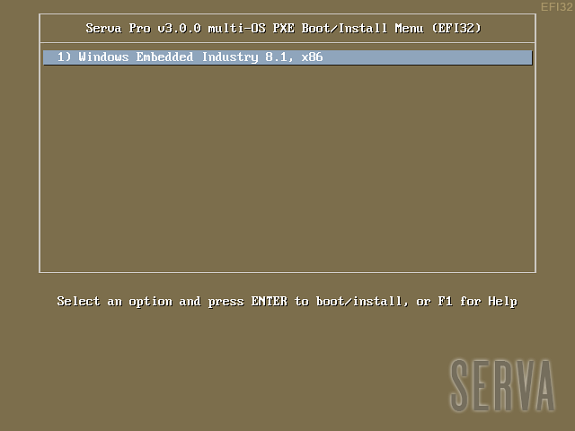
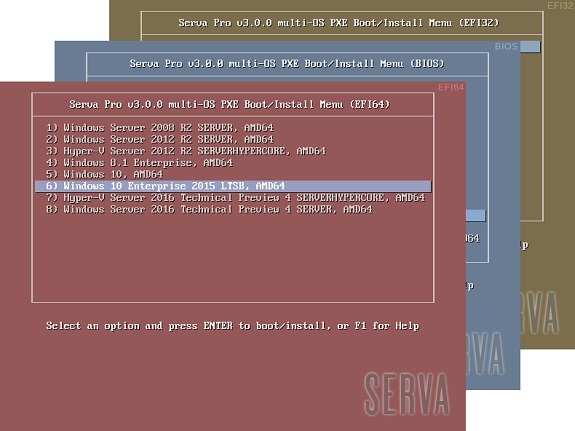
The program provides controls for configuring services, boot menus, and file-transfer options in one interface. A network boot menu can give clients access to selected boot resources, while the file-serving functions support sharing the files those clients need. Because Serva combines these tasks in one application, an administrator can use it as a compact service host for a deployment or troubleshooting session rather than setting up separate tools for each function.
Typical uses include starting PXE-capable computers for operating-system installation, preparing systems that lack optical drives, and distributing files to multiple machines on a local network. Serva can serve resources for Windows and Linux deployments; client support depends on the boot files and configuration in use. It is intended for managed network environments, where administrators can configure DHCP behavior appropriately and verify that other network services will not conflict.
Serva64 is shareware and is available for Windows, including Windows 10 and Windows 11, as well as several earlier Windows desktop and Server editions. Its standalone design avoids a traditional installation process, and its focused network-service role suits use on a workstation or other Windows system acting as a local server. Configuration and successful PXE booting depend on the network, client hardware, and deployment files.