SharePoint Item Permission Batch for Windows 10 - Full description
SharePoint Item Permission Batch is an administration tool for managing item-level access in SharePoint lists. It is intended for SharePoint administrators who need to apply or reset permissions across many list items without opening each item individually. The tool works with users and user groups, allowing access rules to be managed in bulk as well as configured for a specific list or item.
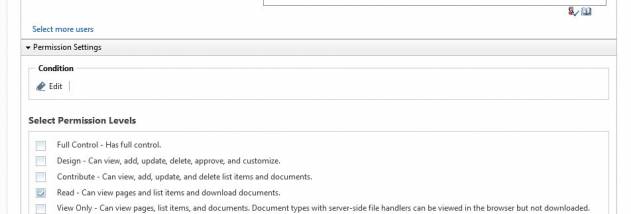
Administrators can assign custom permissions to users or groups across all items in a list. For more selective changes, they can configure conditions to determine which users or groups receive custom permissions. This makes it possible to target permission changes according to the administrator's criteria rather than applying the same access rule indiscriminately to every account.
The tool also supports removing custom permission settings from a list and restoring default permissions in bulk for specified users or groups. These operations help administrators reverse item-level changes when access needs to return to its default state. Custom settings can be managed at list level or on individual items, providing a choice between broad updates and targeted adjustments.
SharePoint Item Permission Batch is suited to recurring permission maintenance, reorganizing access after changes to teams, and correcting inconsistent item-level permissions in a list. Instead of reviewing every item manually, an administrator can apply, remove, or restore permissions across multiple items in a single operation. Conditional targeting is useful when only particular users or groups should receive the custom settings.
The software is trialware from BoostSolutions Co., Ltd. It is designed for SharePoint permission administration; the provided operating-system information covers Windows XP, Vista, 7, and 8, but does not establish compatibility with Windows 10 or Windows 11. SharePoint environment requirements are not detailed here, so administrators should check compatibility with their SharePoint installation before use.