PotPlayer
Welcome to the ultimate destination for downloading PotPlayer, a top-tier multimedia software developed by Daum Communications. This exceptional software is designed to provide an immersive audio-visual ...

SMPlayer is an open-source media player built on the MPlayer engine, with support for a broad range of audio and video formats. It provides playback, audio and subtitle controls, and can search for or download subtitles from within the application. The player remembers settings and playback position for individual files, making it easier to resume a video later. A built-in YouTube browser and customizable skins add options for online viewing and appearance.
| Author: | Ricardo Villalba |
| License: | Open Source |
| Price: | FREE |
| Released: | Oct 9, 2026 |
| File size: | 67.90 MB |
| Downloads: | 733 |
| Keywords: | multimedia player, smplayer video player, free win dvd, open-source software, win dvd player, SMPlayer, x64 architecture, free mkv player, vob player, win dvd, media player with resume, wmv codec, smplayer media player, sm player free, mplayer, mplayer based player, youtube video player, Ricardo Villalba, SM Player, free win dvd player, mkv player codec, mkv player, sm player, Windows 10 compatible, smplayer, avi player, video player with subtitles, mkv player subtitle |
| Author URL: | https://www.smplayer.info/ |



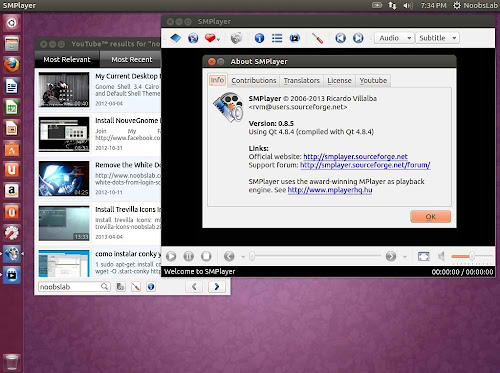




SMPlayer is an open-source media player for people who want one desktop application for playing video and audio files. It uses the MPlayer playback engine, which supports a broad range of common media formats and can play many files without requiring users to install separate codecs. Its interface brings playback controls and media settings together, serving both straightforward viewing and more hands-on control of playback.
The player includes controls for adjusting playback, audio and subtitles while a file is running. Subtitle support lets viewers load subtitle files and search for or download subtitles from within the application, which can be useful when a video has no accompanying captions. SMPlayer also saves settings for individual files, including the playback position, so a viewer can close the player and return later without manually finding the place where playback stopped. File-specific settings help preserve a preferred setup when returning to a video.
For online video, SMPlayer includes a YouTube browser that can search for and play videos from within the player. This lets users move from finding a clip to watching it without opening a separate playback application. The player also offers a customizable interface, with skins and themes for changing its appearance. Together, these options make it possible to use the same application for local media and supported online video, while keeping playback controls and viewing preferences in one place.
SMPlayer is suited to everyday tasks such as watching downloaded films, checking video files in different formats, listening to audio, and viewing content with subtitles. The resume feature is especially useful for longer videos or for people who watch a file across multiple sessions. Users who prefer a simple player can focus on opening and controlling media, while those who want to tailor playback can use the available settings and interface customization.
SMPlayer is free and open source. It is available for Windows, including Windows 10 and Windows 11, as well as Linux. The Windows download is offered for both 32-bit and 64-bit systems; the supplied system information also includes Windows 7 and Windows 8. Its MPlayer foundation helps it handle a wide selection of audio and video formats, though playback can still depend on the specific file and system configuration.