View and Rename PDF
... dual-purpose software that not only allows you to view your PDF files but also rename them in ... navigate, regardless of their tech proficiency. The software's viewing feature offers a clear, high-quality display of your ...

SplViewer is a Windows utility for opening and inspecting SPL spool files created by Windows print systems. It helps administrators and IT staff investigate print-job problems by presenting spool-file contents in a more accessible form. Filtering and sorting make relevant job data easier to find, and SPL-to-EMF conversion supports further examination. It is freeware and runs on Windows 10 and 11.
| Author: | Dieter Riekert |
| License: | Freeware |
| Price: | FREE |
| Released: | Nov 14, 2025 |
| File size: | 389 kB |
| Downloads: | 297 |
| Keywords: | spl, umleiten, ansicht, SplViewer, view, druck, weitergabe, spooldatei, print, job, spool, open spl files, spl to emf converter, spool-datei, LVBPrint.de, printjob, print job troubleshooting, Dieter Riekert, spl file viewer, preview, spooler, print server tools, x64 application, Windows 10 software, vorschau, print file viewer, ausgabe, spool-file, windows spool viewer |
| Author URL: | https://www.lvbprint.de/en/splviewer/ |
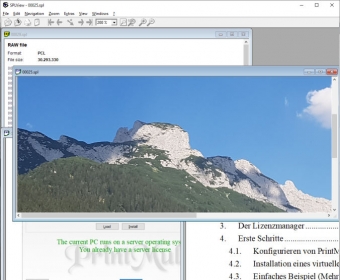


SplViewer is a Windows utility for opening and inspecting SPL spool files created by Windows print systems. It is intended for IT staff, system administrators and others who troubleshoot printers or manage print servers. Instead of relying on the spool file's raw data, users can view its contents in a more accessible form and examine details associated with a print job.
SPL files hold data queued for printing and can be difficult to interpret with general-purpose tools. SplViewer lets users inspect the contents of these files to investigate problems such as unexpected formatting or printer-setting issues. Reviewing a captured job can help narrow down whether a fault lies in the document, its print settings or the printing process, before the job is sent again or the printer configuration is changed.
For larger or more complex spool files, filtering and sorting help locate relevant print-job data without scanning every item manually. This can make it easier to compare details, identify a particular job and gather information for a troubleshooting report. SplViewer also supports conversion from SPL to EMF, providing another format for working with spool-file content.
The program is useful when diagnosing failed or incorrect print jobs, examining files captured from a Windows print server, or investigating behavior reported by users in a networked printing environment. It focuses on inspection and analysis rather than serving as a general document editor or print-management console.
SplViewer is freeware from Dieter Riekert. It runs on Windows 10 and Windows 11, as well as Windows 7 and Windows 8, including 32-bit and 64-bit editions where applicable. Its small footprint suits occasional troubleshooting as well as keeping a dedicated spool-file viewer available on an administrator's workstation.