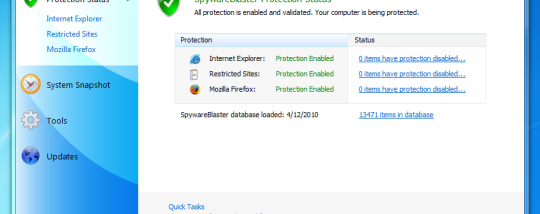
SpywareBlaster for Windows 10 - Full description
SpywareBlaster is a preventive security utility for Windows users who want an additional layer of protection against spyware and other unwanted software. Instead of scanning files or running continuously like a real-time antivirus, it changes browser and system settings to block selected threats before they can be installed or perform certain actions. It is intended to complement, not replace, other security tools.
Its protection includes blocking ActiveX-based spyware and potentially unwanted programs. ActiveX controls can be used by websites to add interactive features, but untrusted controls may also install unwanted software. SpywareBlaster applies restrictions to known harmful controls, helping reduce this risk during browsing. It also blocks tracking through cookies and restricts actions by potentially dangerous or unwanted websites, adding protections at more than one point where browser-based threats can operate.
Setup is designed around a simple maintenance routine: open the program, check for protection updates, then enable all available protection. The program applies its settings and can be closed; it does not need to stay running in the background. Protection therefore depends on updating the threat information and enabling the settings, rather than on a constantly active scanning process. The interface provides a direct way to manage this protection, while the utility is designed to work alongside other security and privacy software.
SpywareBlaster can suit people who browse the web and want to reduce exposure to browser hijackers, adware, spyware, dialers, tracking cookies, and risky web content. Its preventative approach may be useful as one part of a layered security setup, alongside antivirus software and safe browsing habits. It focuses on blocking specified threats and does not serve as a general-purpose malware scanner or a tool for cleaning an already infected computer.
SpywareBlaster is freeware from Javacool. The supplied supported-systems information includes Windows versions through Windows 10; Windows 11 support is not established here. Because the utility does not remain active in the background, it uses no ongoing scanning process while closed, but its protection should be refreshed regularly. It is best suited to users comfortable with periodically checking for updates and enabling protection settings themselves.