Desktop Ruler
Introducing Desktop Ruler by Coder Ltd, the ultimate precision tool for ... web developer, or simply someone who values precision, Desktop Ruler is tailored to meet your needs. With its intuitive ...

StaticDesktopRuler places up to 20 colored, click-through guides on the desktop to help track text, scan wide tables, or mark alignment points. It supports horizontal and vertical rulers, with controls for thickness and transparency, plus predefined and custom layouts. The freeware utility has an install-free edition and removes all guides with a single action. Rulers do not show measurement units.
| Author: | Nenad Hrg |
| License: | Freeware |
| Price: | FREE |
| Released: | Oct 17, 2026 |
| File size: | 215 kB |
| Downloads: | 58 |
| Keywords: | StaticDesktopRuler, desktop guides, desktop ruler, desktop guide, download StaticDesktopRuler, reading guide, click-through ruler, ruler, StaticDesktopRuler free download, screen alignment tool, screen ruler, guide, CAD, guideline |
| Author URL: | https://www.softwareok.com/?seite=Freeware/Q-Dir |

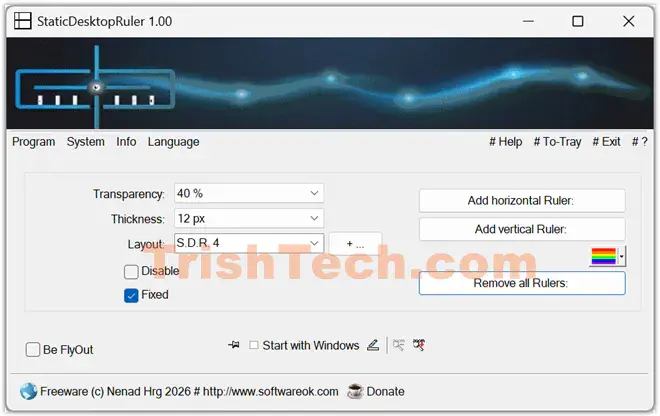

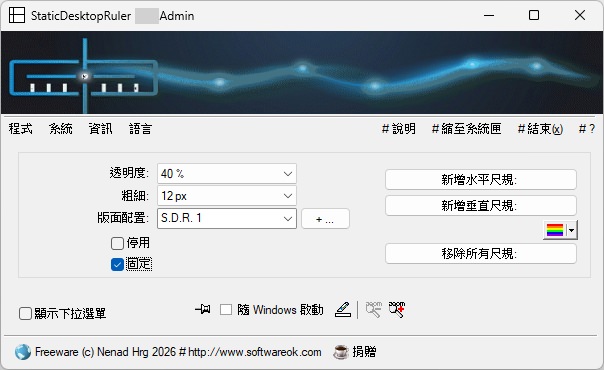
StaticDesktopRuler is a lightweight desktop utility for placing visual guides on a Windows screen. It is intended for people who need to keep their place while reading wide tables, scanning long rows of text, aligning items, or working on a large or high-resolution display. Unlike a measuring tool, it provides colored reference lines rather than rulers marked with distance units.
The program can display up to 20 horizontal or vertical rulers at once. Each new ruler receives a color, making it easier to distinguish several guides and use them for separate rows, columns, or focus points. Rulers can be positioned on the desktop as visual markers, helping users follow information across a screen without relying on their eyes to repeatedly find the same line.
Appearance controls include ruler thickness and transparency, so guides can be adjusted to remain visible without obscuring the material behind them. StaticDesktopRuler also includes predefined layouts and allows additional layouts to be created. When a ruler is fixed in place, it is click-through: mouse clicks pass to the window or controls underneath, allowing the guide to remain visible while the user continues working. A single action removes all rulers when they are no longer needed, and a fly-out menu provides quick access to settings.
Typical uses include tracking entries in large data tables, following a line of text, marking horizontal or vertical alignment points, and keeping a visual reference over an application or game. The rulers are guides, not measurement instruments, so they do not report pixel distances or physical units. On a multi-monitor setup, vertical rulers can be moved between displays; horizontal rulers may not behave the same way on secondary screens.
StaticDesktopRuler is freeware and has an install-free edition that can be launched by opening its executable. It is designed for Windows and supports Windows 10 and Windows 11, as well as several Windows Server releases and earlier Windows versions. Its small footprint and limited set of controls make it suitable as an occasional reading or alignment aid rather than a full-featured screen measurement application.