ASUS GPU Tweak
Welcome to the download page for ASUS GPU Tweak, an exceptional software developed by Asus exclusively for ... interface and extensive range of features, ASUS GPU Tweak empowers you to optimize your gaming experience, enhance ...

K-Lite Codec Tweak Tool is a Windows utility for diagnosing and managing audio and video codecs and filters. It scans for broken components, provides controls to enable or disable codecs, and lets users configure preferred splitters and decoders. Settings can be backed up and restored, while detailed log files help investigate playback problems. The freeware is designed for Windows users who need to troubleshoot or adjust a codec setup.
| Author: | Codec Guide |
| License: | Freeware |
| Price: | FREE |
| Released: | Apr 19, 2025 |
| File size: | 1.30 MB |
| Downloads: | 434 |
| Keywords: | Codec, splitter and decoder settings, multimedia tool, Video, K-Lite Codec Tweak Tool, broken codec scanner, codec backup and restore, Codecguide, x64 software, Bad Filter Scanner, Video Tweak, audio-video codec management, video codec settings, codec troubleshooting tool, manage audio filters, Codec Tweak, Windows 10 compatibility, Tweak |
| Author URL: | https://www.codecguide.com/features_full.htm |
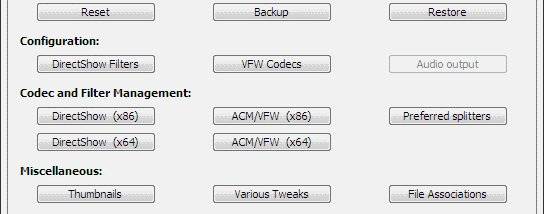
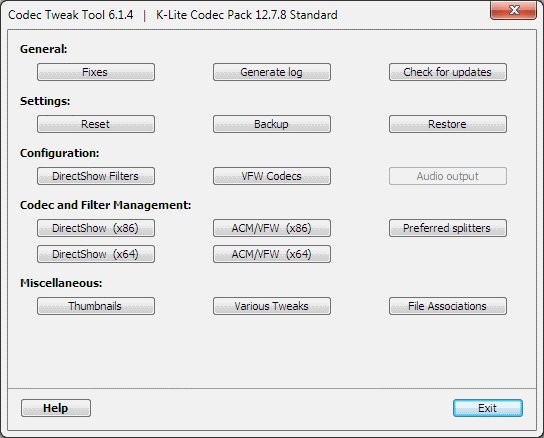

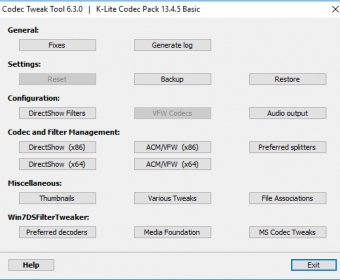


K-Lite Codec Tweak Tool is a Windows utility for inspecting and managing audio and video codecs and filters. It is useful for people troubleshooting playback problems, checking a codec setup, or adjusting how media components are configured. Rather than playing media itself, the tool provides controls and diagnostics for codec-related components used by media players.
Its scanner checks for broken codecs and filters that may interfere with playback or cause errors. When a problem is found, the tool can help identify the affected component so it can be addressed. Users can also enable or disable codecs and filters, which is useful for testing whether a particular component is involved in a playback issue or for changing which components remain available to applications.
The program includes settings for configuring preferred splitters and decoders. These components handle tasks such as separating audio and video streams and decoding media, so choosing the preferred options can help tailor playback behavior across supported players. A backup and restore function lets users save codec settings before making changes and return to that saved configuration if an adjustment causes an unwanted result.
K-Lite Codec Tweak Tool can also create detailed log files. These records help users review the codec environment while diagnosing more involved problems, and can provide useful information when investigating playback faults. The combination of scanning, configuration controls, and saved settings supports a practical troubleshooting workflow: inspect the setup, make a targeted change, and restore the previous configuration if needed.
The tool is freeware from Codec Guide and is intended for Windows systems. It supports Windows 11, Windows 10, Windows 8, Windows 7, and Windows Vista, including 32-bit and 64-bit editions where applicable. It is a focused maintenance utility rather than a media player or a general-purpose codec pack, making it most relevant to users who need to diagnose or manage codecs and filters already present on a Windows computer.