Stereo Tool
Welcome to the download page for Stereo Tool, a cutting-edge software developed by the talented Hans van Zutphen. Designed exclusively for Windows 10, Stereo Tool is a must-have tool for audio enthusiasts ...

Stereo Tool is an audio plug-in for shaping a signal's stereo image. It offers separate input gain and pan controls for the left and right channels, individual phase inverters, and global stereo pan and width adjustments. A vector scope, input and output PPM meters, and a phase correlation meter provide visual feedback. The freeware plug-in uses 64-bit floating-point processing and requires no registration or dongle.
| Author: | FLUX:: SE |
| License: | Freeware |
| Price: | FREE |
| Released: | Jul 14, 2023 |
| File size: | 126.00 MB |
| Downloads: | 394 |
| Keywords: | FLUX:: SE Stereo Tool, vector scope audio, sound engineering tool, input gain, channel gain plugin, controller, audio panning tool, stereo image controller, audio manipulation software, x64 architecture, channel individual pan, phase correlation meter, Windows 10 compatible, stereo image, professional audio plugin, input gain control, stereo width control, stereo image plugin |
| Author URL: | https://www.flux.audio/ |
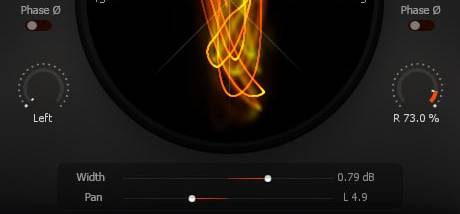

Stereo Tool is an audio plug-in for adjusting the stereo image of a signal. It is intended for audio producers and engineers who need direct control over left and right channels, input level, panning and stereo width while working in a compatible host application. Its controls cover both channel-level changes and adjustments to the stereo signal as a whole.
The plug-in provides separate input gain and pan controls for the left and right channels. Gain controls adjust the incoming level, while individual panning changes where each channel sits in the stereo field. A phase inverter is available for each channel, allowing its polarity to be reversed independently. Global stereo pan and width controls provide broader adjustment of the image after the individual channels have been set.
Visual monitoring helps users assess the effect of these changes. A vector scope displays the stereo signal's spatial content, PPM meters show levels at both the inputs and outputs, and a phase correlation meter tracks the relationship between the channels. These displays can help identify level differences, changes in stereo spread and potential phase issues as the signal is processed.
Stereo Tool can be used on a track or signal path when precise stereo placement is needed, or as part of a processing chain with other audio plug-ins. For example, it can follow a processor such as BitterSweet II to provide further control over the resulting stereo stage. Its 64-bit floating-point processing supports sample rates up to 384 kHz, according to the product specifications.
The plug-in is freeware and does not require registration or a hardware dongle. It is available in native AU, RTAS and VST formats. The Windows download listing includes Windows 10 and Windows 11, as well as earlier Windows releases; compatibility depends on the host software and plug-in format in use.