Sytrus for Windows 10 - Full description
Sytrus is a software synthesizer for creating and shaping sounds in electronic music and other audio projects. It combines frequency modulation, subtractive synthesis and additive synthesis, giving sound designers several ways to build tones, from familiar keyboard patches to complex, evolving textures. Its range makes it useful both for musicians who want ready-to-play sounds and producers who prefer to design patches from the ground up.
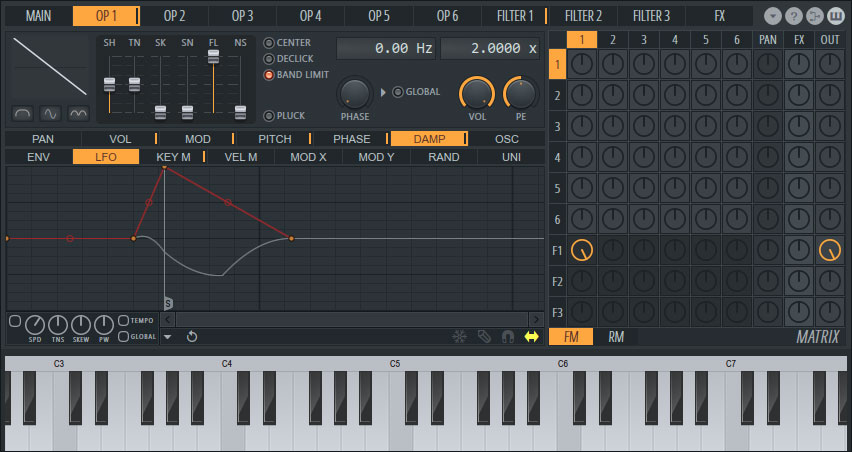
The instrument's FM engine uses operators that can modulate one another to produce bright, metallic tones, bells, basses and other harmonically rich sounds. Operators can also be combined with subtractive and additive methods, allowing a patch to mix different synthesis approaches rather than relying on a single sound-generation method. Users can adjust envelopes and other sound parameters to shape how a tone starts, changes and fades, which helps distinguish a short pluck from a sustained or animated sound.
Sytrus also includes a modulation system for creating movement within a patch. Modulation can alter sound parameters over time, while built-in effects provide ways to add character and space without assembling every part of the sound from separate plug-ins. Its preset library offers starting points for common instrument types and more experimental timbres; presets can be used as they are or edited to suit a track. MIDI input supports playing and controlling the instrument from a keyboard or compatible music setup.
In a production workflow, Sytrus can supply bass, leads, pads, percussion-like tones and other synthesized parts. A producer might begin with a preset, change its operators and envelopes, then add modulation and effects to make it fit a mix. More experienced sound designers can use the synthesis controls to build distinctive patches, while those new to FM can explore presets and make incremental changes to learn how operator relationships affect the result.
Sytrus is associated with Image-Line's FL Studio and is also available as a plug-in for use in compatible digital audio workstations. The supplied platform details specify 64-bit editions of Windows 10 and Windows 11. The software is offered as a demo, so its licensing terms should be checked before relying on it for ongoing commercial production.