Tab Suspender
Introducing Tab Suspender, the ultimate productivity tool for Windows 10 users who juggle multiple browser tabs daily. Developed by tab-suspender.com, this innovative software intelligently manages your open tabs, ...

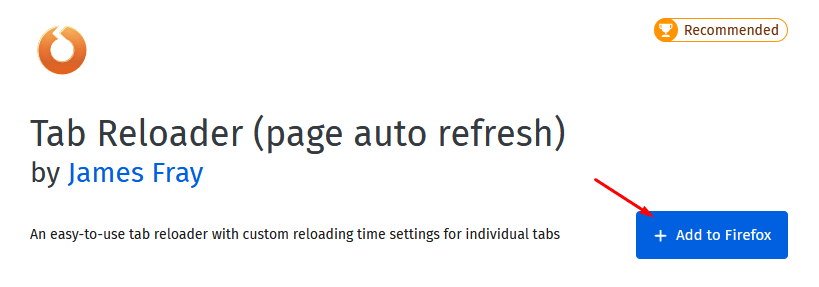
Tab Reloader for Firefox automates page refreshes so users can keep changing websites current without reloading them by hand. It assigns individual intervals to tabs, from frequent updates to schedules spaced hours apart. A countdown shows when the next refresh is due, while optional desktop notifications report refresh activity. Conditional reloading, plus preservation of scroll position and form data, supports more controlled browsing.
| Author: | James Fray |
| License: | Open Source |
| Price: | FREE |
| Released: | May 18, 2026 |
| File size: | 614 kB |
| Downloads: | 160 |
| Keywords: | Tab, firefox tab refresh, Tab Reloader for Firefox, web browser, James Fray, scheduled website refresh, automatic tab reloader, Firefox, automatic tab reloading, Reload, extension, Tab Reloader, conditional tab reloading, Refresh, timed page reload, productivity tool, Refresh Tab, Time, browser refresh extension, automatic reloading, download Tab Reloader for Firefox, Firefox extension, Timed Reload, web browsing enhancement, Tab Reloader for Firefox free download, Reload Tab |
| Author URL: | https://add0n.com/tab-reloader.html |
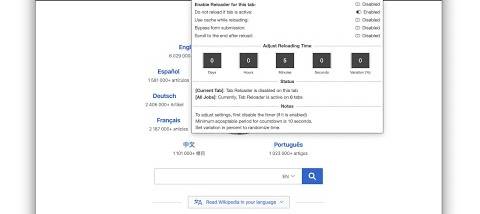
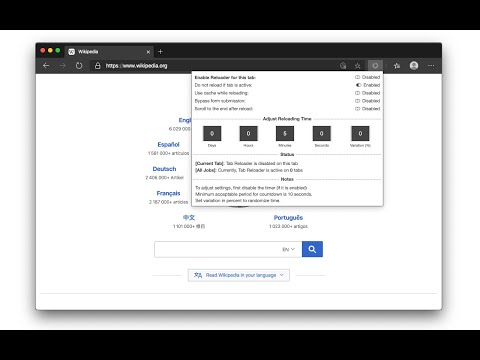

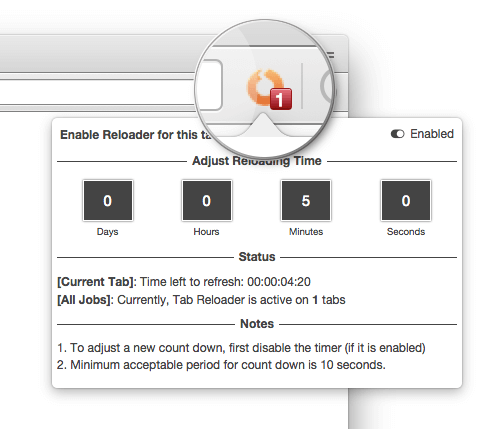
Tab Reloader for Firefox is a browser extension for people who need pages to refresh automatically rather than checking them by hand. It lets users assign reload schedules to individual tabs, making it useful for monitoring changing information across several websites. News readers, traders watching market pages, and anyone tracking frequently updated content can set different intervals for different tabs according to how often each page needs checking.
Each tab can have its own reload interval, from frequent refreshes to schedules spaced hours apart. Users configure the timing for a page and let the extension reload it in the background while they work elsewhere. This avoids repeatedly refreshing pages manually and allows several sources to stay current at once. A visual countdown timer indicates when a tab is due to reload, so the next refresh can be checked without guessing or opening the extension settings.
The extension also offers conditional reloading, so a tab can refresh only when specified conditions are met. This provides an alternative to repeatedly loading a page on a fixed schedule when updates depend on page content or another condition. Tab Reloader can preserve a page's scroll position and form data during reloads, helping users return to the same place on long pages and retain information entered into forms. Optional desktop notifications provide another way to keep track of refresh activity without continuously watching the tab.
These controls suit a range of browsing routines: keeping a news page current, checking a changing dashboard, following live information, or maintaining several pages that update at different rates. Individual schedules make it possible to prioritize important tabs without applying one refresh rate to the whole browser. The countdown and notifications help users understand when activity is expected, while conditional reloads can reduce unnecessary refreshing when a page does not meet the chosen conditions.
Tab Reloader for Firefox is open-source software developed by James Fray. It is a Firefox extension and is offered for Windows 10 and Windows 11, including 32-bit and 64-bit systems. The extension is presented as lightweight and does not collect or share user data. Its purpose is focused: automate tab refreshes and provide controls for timing, reload conditions, page state, and notifications within Firefox.