Guitar Analyzer Software Publisher
... "Guitar Analyzer Software Publisher" developed by the renowned Guitar Analyzer Software. This innovative software is a must-have for all guitar enthusiasts, whether you're a beginner or a seasoned ...

Table Rock Sound is a guitar and bass practice program for learning songs through focused listening and repetition. It can slow down or speed up playback, loop sections for repeated practice, and includes a tuner. A guitar-neck display, position marker, mirror view, and instrument accentuation help connect what players hear with where and how they play.
| Author: | Table Rock Sound, LLC. |
| License: | Trialware |
| Price: | $30.00 |
| Released: | Feb 20, 2019 |
| File size: | 8.50 MB |
| Downloads: | 411 |
| Keywords: | bass, guitar tutor, guitar practice software, tutor, guitar practice, x64 software, guitar song trainer, guitar learning software, interactive music tool, Windows 10 compatible, bass practice software, guitar trainer, Table Rock Sound, guitar tuner program, guitar, audio editing, loop music for practice, slow down music for guitar |
| Author URL: | http://www.tablerocksound.com/ |
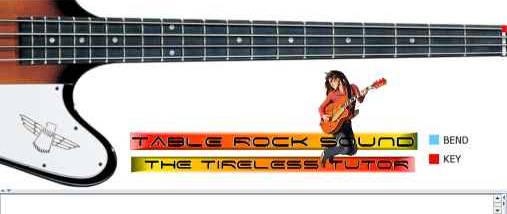

Table Rock Sound is a guitar and bass practice program for musicians who want to learn songs by working through their audio at a manageable pace. Its tools focus on listening and repetition: users can adjust playback speed, isolate a passage with looping, and repeat it while practicing until the part is familiar. A guitar-neck display and position marker help connect what is heard with where notes are played.
Playback speed controls let a player slow down a difficult passage to hear its notes more clearly, or speed it up for practice closer to the original tempo. The looping feature repeats a selected section, making it easier to focus on a short phrase without restarting a song by hand. The program also includes a tuner for checking an instrument's tuning during a practice session.
A mirror view can help players compare their finger movements with an image-oriented view of the instrument. The guitar-neck display and position locator provide visual reference while practicing, while an option to accentuate the instrument's sound can make its part easier to distinguish by ear. Together, these controls support a practice routine that moves between listening, locating notes, and playing a passage repeatedly.
The software is aimed at guitarists and bassists learning songs by ear, refining tricky sections, or practicing at different speeds. It can also suit learners who benefit from seeing fretboard positions alongside repeated listening. Table Rock Sound is trialware. Its stated system support covers older Windows releases, so users should check compatibility before relying on it with a current Windows installation.