Tag Clinic for Windows 10 - Full description
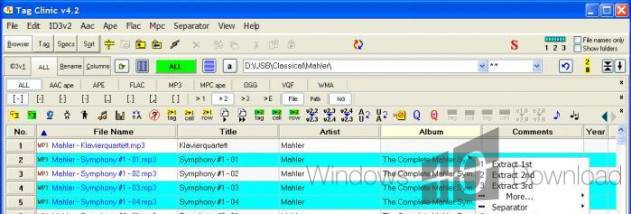
Tag Clinic is a desktop tag editor for organizing music collections and changing the information stored with audio files. It helps users correct or add metadata, arrange tracks, and make filenames consistent across individual files or whole folders. Its interface combines tag editing with file renaming, search, list views, and tools for working with artwork and other embedded content.
The editor can create tag data from filenames or folder paths, and it can also download information such as album art and song lyrics. For batch cleanup, users can select files and edit tag fields, convert tags between versions, fill in fields automatically, swap text between fields, or build one tag type from information held in another. Find, Find All, and Find & Replace help locate and update text across a collection. A capitalization editor provides custom rules for applying consistent title and artist formatting.
Tag Clinic can rename files using existing tag data or newly created information. Reusable naming templates make it possible to apply the same filename pattern to different groups, while a preview lets users check the proposed names before applying them. Renaming can target one file, selected files, or an entire folder, and changes can be undone. The program also supports playlist ordering by letting users drag rows into position; columns can be rearranged, and the visible tag fields can be selected and organized to suit the task.
For record-keeping and transfer between tools, tags can be printed or saved as tag lists in six file formats. Tag data can also be backed up to or restored from CSV and Microsoft Excel files, and spreadsheet data can be dragged into the program to add information to tags. Artwork and other objects can be stored inside tags, then viewed, copied, pasted, rearranged, extracted, or removed. This provides a way to keep images and related files alongside the music metadata and access them from the tag editor.
A built-in browser supports drag-and-drop workflows, and Quickload Mode can restore saved tag-library views from a database rather than rereading every tag. Tag Clinic is freeware for Windows and is suited to users who want detailed control over music metadata, naming conventions, playlists, and embedded artwork without handling each file separately. Its broad selection of tag types and fields also makes it useful for collections that require metadata beyond the most common title, artist, and album entries.