yNotes
... software developed by the acclaimed Spacejock Software. This Windows 10 compatible application is designed to streamline your digital note-taking experience, making it easier than ever ...

TCC/LE 64-bit is a command-line shell that replaces CMD.EXE and extends familiar Windows commands with additional options and scripting tools. It provides command and directory history, filename completion, aliases, advanced file selection, and a scripting language with loops, conditions, and subroutines. File operations can process multiple names and filter them by date, size, or pattern.
| Author: | JP Software |
| License: | Freeware |
| Price: | FREE |
| Released: | Aug 30, 2019 |
| File size: | 7.30 MB |
| Downloads: | 3262 |
| Keywords: | windows command shell, shell x64, Batch scripting, prompter x64, command history tool, Advanced file management, command prompt x64, file management commands, TCC/LE 64-bit, command line scripting, batch file automation, command x64, JP Software, command shell x64, Windows 10 compatible, cmd replacement, command line x64, Command line enhancement |
| Author URL: | https://jpsoft.com/ |
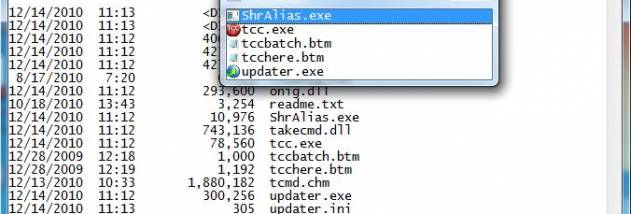

TCC/LE 64-bit is a command-line shell and scripting environment for Windows users who need more control than the standard CMD processor provides. It can replace CMD.EXE and retains familiar Windows commands while adding options and tools for interactive work, file management, and automation. Its scripting language extends CMD syntax, making it useful both for people adapting existing command-line habits and for those writing more involved batch scripts.
The shell includes 111 commands, 140 functions, and 97 internal variables. Scripts can use conditional branching, DO and FOR loops, SWITCH statements, and subroutines to handle repeated tasks and make decisions. Enhanced versions of commands such as DIR, COPY, DEL, and START offer additional options, while support for multiple filenames lets file operations act on groups of files in one command. Date, time, size, extended wildcard, and regular-expression filters can narrow which files a command processes or exclude specific matches.
For interactive use, a command-line editor provides history recall, cut-and-paste options, and filename and directory completion, including completion across network locations. Popup windows make command and directory history easier to browse. Aliases can shorten commonly used commands, and frequently used commands can be assigned to a keystroke. Extended directory searches also help locate and enter a folder by typing only part of its name. Context-sensitive help is available within the shell, and plugins can add custom variables or commands.
TCC/LE includes several redirection and piping options, including redirection to and from STDERR and TEE and Y pipe fittings. Its built-in text and binary viewer supports bidirectional scrolling, search, and printing. The shell can also send keystrokes to command-prompt or graphical application windows. These tools suit administrators, developers, and experienced Windows users who manage files, run repeated command sequences, or want more capable command-line navigation and editing.
TCC/LE 64-bit is freeware from JP Software. The supplied system requirements cover 64-bit editions of Windows Vista, Windows 7, Windows 8, and Windows 10. Its commands, editor, scripting language, and plugin support are integrated in the shell, so routine tasks and automation can be handled in the same command-line environment.