Fax Voip T.38 Console
Welcome to the download page for Fax Voip T.38 Console, a cutting-edge software developed by FaxVoip Software exclusively for Windows 10 users. This innovative application revolutionizes fax communication, providing ...

TekFax is a Windows SIP fax receiver server for setups with a VoIP gateway that supports SIP and T.38. It can run as a Windows service and forward incoming faxes to configured email recipients as TIFF files. SIP signalling works over UDP, TCP or TLS. For NAT, it supports UPnP or a manually specified external IP address; T.38 traffic uses UDP ports 5012 and above. Status messages and configurable logs help diagnose reception problems.
| Author: | Yasin KAPLAN |
| License: | Freeware |
| Price: | FREE |
| Released: | Dec 22, 2023 |
| File size: | 1.96 MB |
| Downloads: | 311 |
| Keywords: | Fax Receiver, sip fax server, fax to tiff, windows fax receiver, SIP, Receive Fax, Fax Server, Fax, Windows 10, Receiver, Server, Kaplansoft, Yasin KAPLAN, fax server software, receive fax by email, x64 software, TekFax, t.38 fax receiver |
| Author URL: | https://www.kaplansoft.com/ |



TekFax is a SIP fax receiver server for Windows, intended for offices and other setups that need to receive faxes through a compatible VoIP gateway. It uses SIP signalling to establish fax sessions and T.38 to carry fax data, so it can handle incoming faxes without a traditional telephone-line fax machine. TekFax can run in the background as a Windows service, making it suitable for unattended reception on a system that stays available.
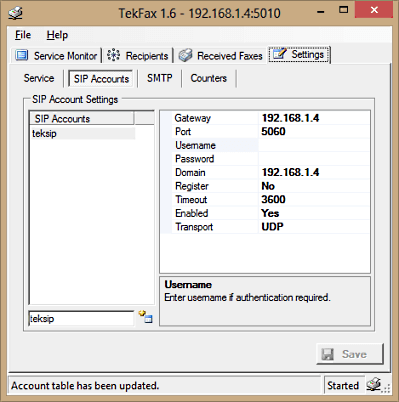
Incoming faxes can be forwarded to configured recipients by email as TIFF files. This lets staff access received documents from their mailboxes and use ordinary document workflows for viewing, storing or sharing them. SIP signalling is supported over UDP, TCP and TLS transports, allowing the server to work with gateways configured for different transport options. A straightforward interface provides access to its settings and status information.
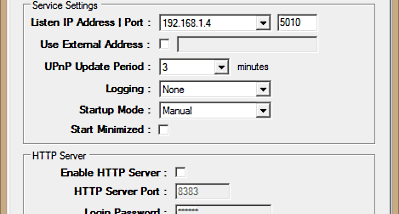
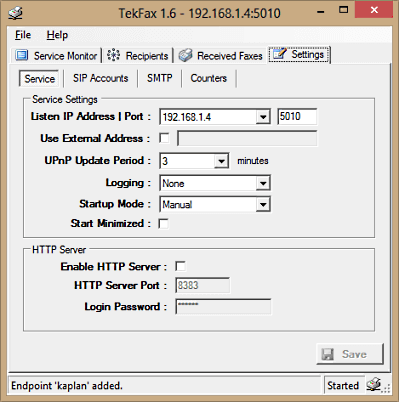
For installations behind a NAT router, TekFax supports UPnP to request the network mappings needed for incoming traffic. If the router does not support UPnP, an external IP address can be entered manually and the required port mappings configured. T.38 traffic uses UDP ports 5012 and above, so the network must allow incoming traffic on the relevant ports for fax reception to work through a NAT gateway.
TekFax reports operational problems in its status bar and can also write them to service log files. Logging can be disabled, limited to errors, or set to include both session and error messages. The log files are kept in a Logs directory, which helps administrators investigate connection and reception issues. Changes to the logging level must be saved or applied in the settings.
TekFax is freeware and requires Microsoft .NET Framework 4.0 Client Profile or later, at least 2 GB of RAM, and a VoIP gateway that supports SIP and T.38. It supports Windows systems from XP through Windows 11, including 64-bit editions where available. Before deployment, administrators should confirm that the gateway and network are configured to pass SIP signalling and T.38 fax traffic.