ThunderSoft GIF to Video Converter for Windows 10 - Full description
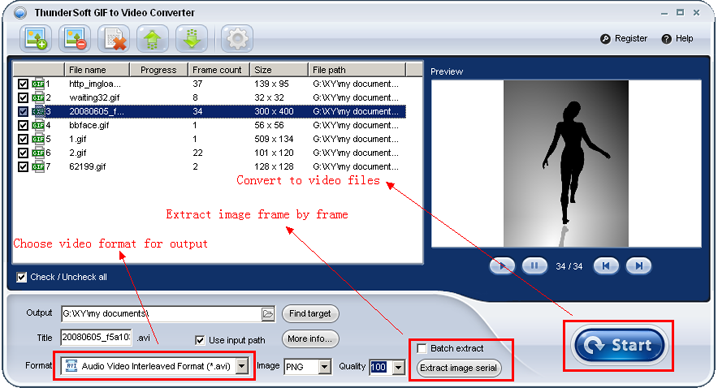
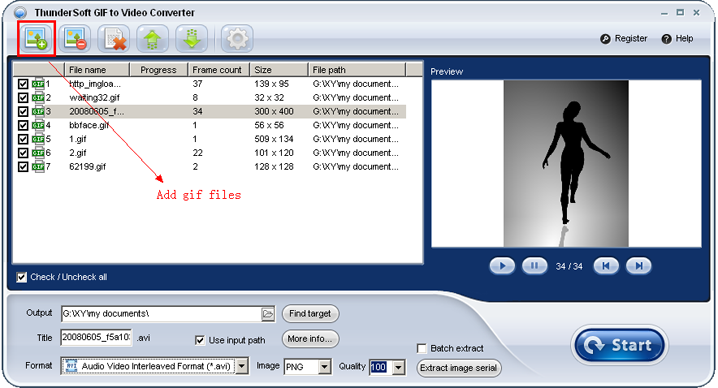
ThunderSoft GIF to Video Converter turns animated GIF files into video files for editing, sharing or playback in applications that do not handle GIFs as needed. It is intended for users who want to prepare one or more animations for a video workflow, or choose a video format suited to a particular project. Its interface follows a straightforward process: import GIFs, select an output format, adjust settings if needed, and start the conversion.
The converter can export to AVI, MP4, WMV, MKV, FLV and MOV. These options let users select a format based on the software or destination where the video will be used. Batch conversion handles multiple GIFs in one operation, which is useful when preparing a set of animations rather than processing each file separately. The resulting video files can then be brought into a video-editing project or shared through services and applications that accept video uploads.
Output controls include resolution, frame rate and bit rate. Resolution determines the video dimensions, while frame rate and bit rate provide additional control over motion and encoding quality. Adjusting these settings can help match a video to project requirements or balance image quality against file size. The program also offers an option to add background music, allowing an exported animation to include an audio track, and supports text or image watermarks for branding or attribution.
Typical uses include converting animated graphics for video editors, creating video versions of GIFs for social media, and preparing animations for presentations or other media projects. Batch processing is helpful for collections of GIFs, while the output settings and watermark options allow individual videos to be tailored for their intended use. The software converts GIF animation into video formats; it is not a general-purpose video editor.
ThunderSoft GIF to Video Converter is trialware for Windows. It supports Windows 11 and Windows 10, as well as older Windows releases including Windows 8, 7, Vista and XP, in 32-bit and 64-bit editions where applicable. Users can choose the output format and conversion settings within the program before processing their files.