TimeTo for Windows 10 - Full description
TimeTo is a personal time-management planner for people who need to turn priorities, tasks and scheduling preferences into a workable agenda. Rather than requiring every activity to be placed manually, it can draft a schedule from the information entered and continually recalculate the plan as circumstances change. This makes it useful for organizing daily work, keeping important tasks visible and adjusting a plan when the day does not go as expected.
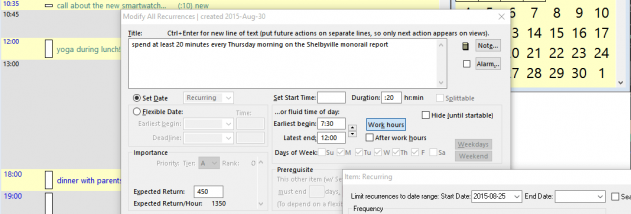
The planner uses priorities and preferences to decide what can be done and when. Its optional scheduling approach gives importance precedence over urgency, helping users allocate time to significant tasks rather than simply reacting to the nearest deadline. As tasks or plans change, continuous recalculation can produce an updated agenda. Filters help narrow the information shown, while alarms provide reminders for scheduled activities. Together, these tools support a routine of reviewing what needs attention and returning to the planned work.
TimeTo also provides Outlook import and export, as well as real-time two-way synchronization with Outlook. Changes can therefore be moved between the planner and Outlook rather than maintaining two entirely separate schedules. Its synchronization also supports connected Palm, PocketPC and BlackBerry workflows. The program can dial Skype contacts and print schedules in formats intended for Filofax, FranklinCovey, DayRunner and Day-Timer organizers. Input and search are available in 17 languages, and the program can work with files in the Above & Beyond format for users moving between the two applications.
The combination of agenda drafting, task planning, alarms and calendar exchange suits people managing personal commitments, recurring work and changing task lists. It can also support a Getting Things Done-style workflow by keeping tasks organized and helping users decide when to address them. TimeTo can run from a USB flash drive, allowing its schedule to be used on another available Windows computer without reinstalling the program. This portable option is useful when work takes place across multiple computers.
TimeTo is freeware and remains available in Light Mode, with registration optional. The supported Windows systems in the provided compatibility information range from Windows XP through Windows 10, including listed 64-bit editions for several releases. Its stated feature set includes Outlook exchange, alarms and portable operation; availability of connected services and devices depends on the relevant software and equipment.