Titan FTP Server x64
Titan FTP Server x64 is a Windows file-transfer server for organizations and home users who need to ... with employees, customers or external partners. It supports FTP and SFTP connections and runs as a multithreaded ...

Titan FTP Server is a Windows server application for exchanging files through FTP and SFTP. It can run multiple servers on different IP address and port combinations, with a multithreaded design for handling transfers. Its web interface lets users upload and download files in a browser over HTTPS, including drag-and-drop transfers of multiple files and folders. Administrators can set file and folder permissions, upload/download ratios, and disk quotas.
| Author: | South River Technologies, Inc. |
| License: | Trialware |
| Price: | $599.95 |
| Released: | Nov 24, 2022 |
| File size: | 151.00 MB |
| Downloads: | 449 |
| Keywords: | FTP, download, ftp server, share file, file transfer, Windows 10 compatible, secure file transfers, Titan FTP Server, file sharing server, ftp file sharing, SFTP server software, sftp server, upload, browser file transfer, South River Technologies, secure file transfer, enterprise-level data management |
| Author URL: | https://titanftp.com/ |
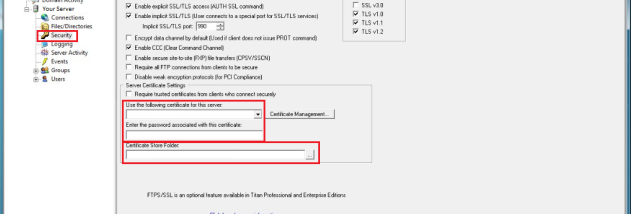


Titan FTP Server is a Windows file-transfer server for organizations and individuals who need to exchange files over networks. It supports FTP and SFTP and can run multiple server instances at the same time, each configured for a different IP address and port combination. Its multithreaded design lets it handle transfer activity across those services, while an administrative interface is used to configure servers and manage access.
The built-in web interface gives external partners and other users a way to transfer files through a browser rather than installing a dedicated client. It supports secure file exchange over HTTPS and works with modern desktop and mobile browsers. Users can drag and drop multiple files and folders for transfer, making it practical for batches of documents or other shared content. Because processing takes place on the server, the browser interface functions as a thin client rather than relying on substantial local software.
Administrators can set permissions on individual files and folders to control who can access shared content. Upload and download ratios and disk quotas provide additional control over how much users can transfer and store. These settings help organizations manage shared storage, limit usage, and apply different access rules to different parts of a file repository. Running multiple server instances also allows separate services to be configured for different network endpoints.
Titan FTP Server can be used for managed file exchanges between staff, customers, suppliers, or other external partners, as well as for controlled file sharing within a private network. Its browser-based option can reduce the need to support multiple transfer clients, while FTP and SFTP provide server-based transfer services for compatible clients. It is trialware for Windows; the available operating-system information includes Windows Vista, Windows 7, Windows 8, and Windows 10. Users should check current system requirements and licensing terms before deployment.