BackUp Maker
... their data and want to ensure its safety. BackUp Maker is a robust and reliable tool that automates the process of creating backup copies of your important files and folders. The ...

TKO Backup creates task-based jobs for copying selected files and folders. Each job can use full, incremental or mirror backup, with its own schedule, location and file filters or exclusions. The scheduler can run tasks at chosen times, while separate jobs help manage data from different folders or network locations. It is freeware for Windows 10 and Windows 11.
| Author: | TkoSoft |
| License: | Freeware |
| Price: | FREE |
| Released: | Oct 23, 2026 |
| File size: | 3.40 MB |
| Downloads: | 169 |
| Keywords: | backup task scheduler, incremental backup, scheduler, TKO Backup free download, mirror backup tool, incremental, TKO Backup, backup task, incremental backup utility, file backup software, download TKO Backup, backup, file backup utility, mirror, scheduled folder backup, data backup |
| Author URL: | https://www.tkosoft.com/products/filebricks |
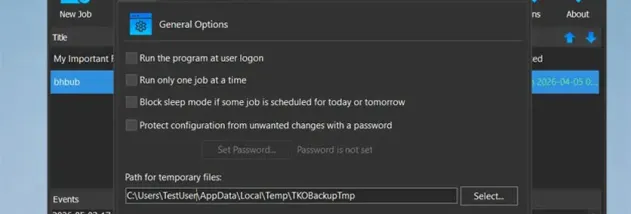


TKO Backup is a file and folder backup utility for Windows users who want to create repeatable copies of data stored in different locations. Its task-based design keeps backup jobs separate, so each can be configured around a particular group of files, destination or schedule rather than relying on one general operation. This approach suits both occasional backups and routines that need to run regularly.
Each task can use one of three backup methods: full, incremental or mirror. A full backup copies the selected data, while an incremental backup is intended for subsequent changes; mirror mode maintains a destination copy that reflects the selected source. Choosing a method lets users balance the scope of each job with the way they want its destination to be maintained. Separate tasks can use different methods according to their needs.
The scheduler lets a task run at a chosen time, which can help make recurring backups part of a routine without requiring the user to start each one manually. Task settings can also account for different source and network locations. File filters and exclusions refine what a job processes, allowing selected content to be left out instead of backing up every item in the chosen folders. Together, these controls provide a way to manage several distinct backup plans from the same application.
TKO Backup can be used to protect personal folders, organize copies from multiple drives or locations, and maintain routine backups to a network destination. Its separate jobs make it practical to keep those purposes independent: for example, a user can create one task for a frequently updated folder and another for a different location with its own timing and backup method. The application focuses on file and folder copying rather than broader system recovery, so it is suited to protecting selected data.
The software is freeware for Windows 10 and Windows 11, with support for both 32-bit and 64-bit Windows 10 systems. A backup task is only useful when its destination remains accessible and the resulting copies are checked periodically; scheduled jobs do not replace a broader recovery plan. Users should also choose a destination separate from the source data where possible, so a problem affecting the original files is less likely to affect their backup copies.