Easy M4P Converter
Welcome to the home of the Easy M4P Converter, a cutting-edge software solution developed by the experts ... a variety of other formats. The Easy M4P Converter is designed to seamlessly integrate with your Windows ...

TMPGEnc XPress converts video between formats including H.264, MPEG-4 ISO, AVI, QuickTime, DivX HD and MPEG-2, with templates for DVD-Video, DVD-VR and Blu-ray-compliant output. A cut editor removes unwanted sections, while filters correct color, crop, resize, sharpen, deinterlace and reduce noise. AVCHD and Flash Video are supported as input sources.
| Author: | Pegasys Inc |
| License: | Trialware |
| Price: | $99.95 |
| Released: | Jul 26, 2011 |
| File size: | 33.10 MB |
| Downloads: | 416 |
| Keywords: | encoder, high-quality output, divx video converter, encode video, user-friendly interface, avchd converter, Pegasys Inc, video encoding software, advanced editing features, h264 video encoder, converter, video, TMPGEnc XPress, video encoder, video converter, blu-ray video encoder, video encoding |
| Author URL: | https://tmpgenc.pegasys-inc.com/en/index.html |
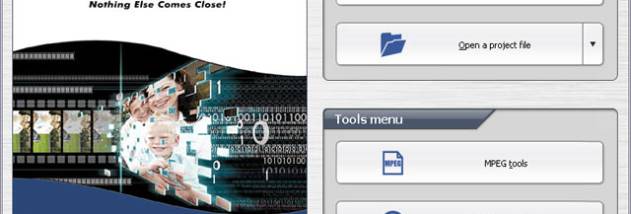

TMPGEnc XPress is a desktop video converter and encoder for people who need to prepare footage for different devices, disc formats or editing workflows. It accepts a broad range of video sources, including AVCHD and Flash Video, and converts them to formats such as H.264, MPEG-4 ISO, AVI, QuickTime, DivX HD and MPEG-2. Output templates cover DVD-Video, DVD-VR and Blu-ray Disc-compliant video, while adjustable settings let users tailor encoding parameters rather than rely only on presets.
The built-in cut editor trims unwanted sections before conversion, making it practical to remove pauses, commercials or unusable footage without opening a separate editing application. Video filters handle common corrections and adjustments: users can crop or resize the image, improve color, sharpen detail, deinterlace interlaced footage and reduce noise. These tools can help prepare video for a smaller screen, improve the appearance of older or noisy material, or adapt a source to the dimensions and requirements of a target format. Thumbnail navigation and Smart Scene Search help locate points in longer clips more quickly.
Encoding options include standard- and high-definition H.264/MPEG-4 output, as well as Blu-ray-compliant MPEG-2 for BDMV or BDAV workflows. The program also supports MP3 input and output, DVD subtitle handling and slideshow creation, so it can process more than straightforward camera footage. Multi-core CPU support can use available processor cores during encoding. On compatible systems, CUDA can accelerate decoding and video-filter processing; this depends on the graphics hardware and does not guarantee a particular speed increase. A separate SpursEngine plug-in supports hardware H.264 and MPEG-2 encoding on compatible devices.
Typical tasks include converting AVCHD camcorder recordings for DVD, encoding a video for DivX HD playback, changing a Media Center recording into another format, or preparing high-definition footage for Blu-ray authoring. Custom output settings are useful when a project has specific quality, file-size or compatibility requirements, while templates provide a more direct route for standard disc and video formats. The cut and filter tools also allow basic preparation of a source before it is exported.
TMPGEnc XPress is trialware from Pegasys Inc. It supports Windows, including Windows 10, and is intended for desktop video conversion rather than capture or full-scale timeline editing. The interface is available in German, French, Spanish, Japanese, Traditional Chinese and Simplified Chinese. Hardware-accelerated features require compatible equipment, and processing time varies with the source material, output settings and computer.