TouchPro for Windows 10 - Full description
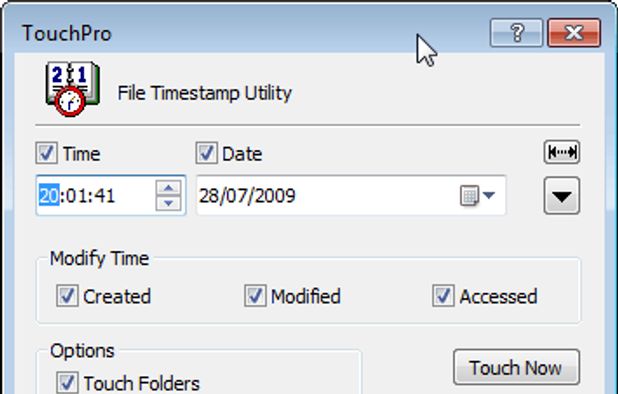
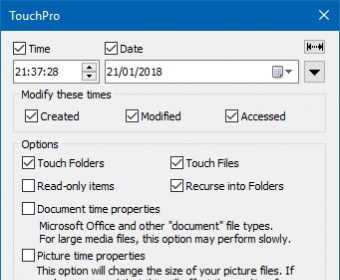
TouchPro is a Windows utility for changing the timestamps attached to files and folders. It is intended for people who need to adjust file dates as part of organizing, archiving, or maintaining data, including users who manage many files at once. Rather than changing file contents, it edits their recorded creation, modification, and last-access times, giving users direct control over this file metadata.
The program can set a specific date and time for selected items, with adjustments available down to the second. This is useful when a file's recorded time needs to match a known event or when a group of files must follow a consistent timeline. TouchPro can also synchronize timestamps across selected files and folders, avoiding the need to edit each item individually. Its batch processing supports applying changes to multiple selections in one operation, which is practical for large collections and repeatable housekeeping tasks.
TouchPro integrates with Windows Explorer through the context menu, so timestamp tools can be opened from file-management workflows. This lets users work with items where they already browse and organize them instead of switching repeatedly between Explorer and a separate interface. Command-line support provides another way to run timestamp changes. More experienced users can incorporate operations into scripts for recurring tasks or broader maintenance routines.
Typical uses include aligning dates on archived material, organizing files by a corrected timeline, and setting consistent timestamps on files associated with backups. The ability to work with folders as well as files helps when an entire directory structure needs attention. Batch operations are suited to one-time corrections, while command-line use can reduce manual work when the same kind of adjustment is needed regularly. Since timestamp edits affect file metadata, the intended dates should be checked before applying changes, particularly when processing many items.
TouchPro is developed by JD Design and is offered as demo software. It is available for Windows 10 in 32-bit and 64-bit editions and Windows 11. The program focuses on timestamp management rather than general file browsing or content editing, and its Explorer integration and command-line option support both interactive and scripted workflows.