Portable TrueCrypt
Portable TrueCrypt is a disk-encryption utility for people who need ... closes the volume and leaves its contents encrypted. TrueCrypt encrypts data as it is written and decrypts ...

TrueCrypt is a disk-encryption utility that creates virtual encrypted disks inside files or encrypts entire partitions and storage devices. Mounted volumes appear as ordinary drives, so files can be copied with familiar tools while encryption and decryption happen automatically as data is read or written. It also supports pre-boot authentication for a Windows system drive, hidden volumes and multiple encryption algorithms. TrueCrypt is discontinued and is not a current choice for protecting sensitive data.
| Author: | TrueCrypt Foundation |
| License: | Freeware |
| Price: | FREE |
| Released: | May 31, 2014 |
| File size: | 2.60 MB |
| Downloads: | 747 |
| Keywords: | encrypt usb drive, encrypted file container, hidden volume encryption, disk encryptor, truecrypt encryption, virtual disk creator, password protection, encryptor, disk encryption software, encrypted virtual disk, decryptor, disk security, data encryption, Windows 10 compatibility, TrueCrypt Foundation, open-source software, data encryptor, encrypt |
| Author URL: | http://www.truecrypt.org/ |

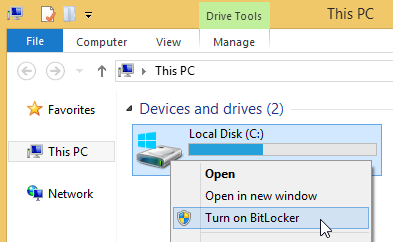
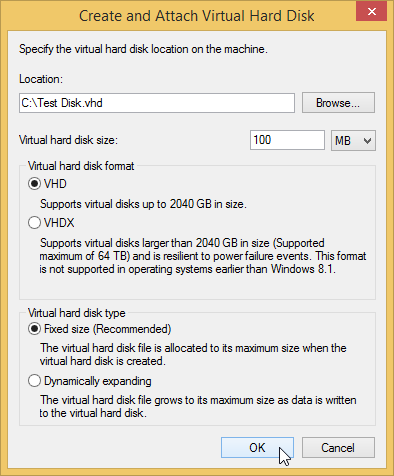


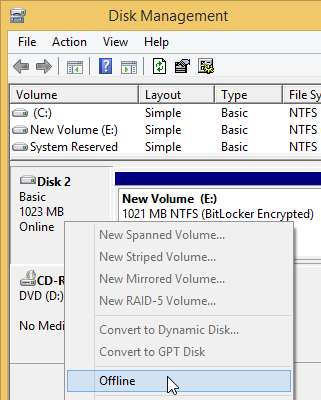

TrueCrypt is a disk-encryption utility for protecting files and storage devices. It is intended for users who need encrypted storage that can be opened as a drive in Windows. Rather than requiring a separate process to encrypt and decrypt each file, it handles those operations as data is read from or written to a mounted volume, so ordinary file operations can be used while the volume is open.
The program can create a virtual encrypted disk inside a file and mount it as a drive. Users can then copy files to and from that drive with familiar tools such as File Explorer. Encryption and decryption happen in memory as data moves, rather than requiring the entire file to be loaded into RAM first. A volume therefore functions much like a regular disk during use, while its stored contents remain encrypted when it is dismounted.
TrueCrypt can also encrypt an entire partition or storage device, including removable flash drives and hard drives. It supports encrypting the partition or drive containing Windows, with authentication required before the operating system starts. Encryption runs automatically in real time, and the software uses parallel processing and pipelining to handle reads and writes efficiently. Supported encryption algorithms include AES, Serpent and Twofish, used with XTS mode.
For situations where revealing an encrypted volume could put data at risk, TrueCrypt includes hidden volumes and a hidden operating system. These features provide a way to keep separate concealed data within an encrypted setup; they require careful configuration and do not replace safe password handling or backups. Typical uses include carrying private files on removable media, protecting data on a computer that may be lost or stolen, and keeping selected files in an encrypted container.
TrueCrypt is freeware, but it is a discontinued project and is no longer maintained. Its development ended in 2014, and it should not be treated as a current, supported choice for protecting sensitive data. The supplied operating-system list includes Windows versions through Windows 10; it does not establish Windows 11 compatibility. Users considering it should account for these limitations and evaluate a maintained encryption tool for ongoing security needs.