TypeItIn Network for Windows 10 - Full description
TypeItIn Network is a Windows text-snippet utility for individuals and teams who repeatedly enter the same phrases, responses, or data. It stores reusable text so users can insert it into other applications instead of typing it from scratch. Its network features let multiple users share and manage snippets, helping teams keep routine communications consistent.
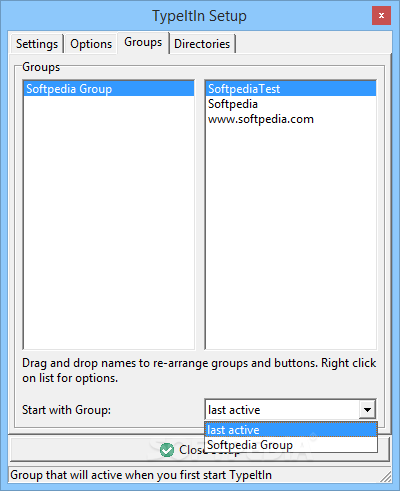
Snippets can be arranged into groups, making collections easier to browse by task, department, or subject. Users can assign hotkeys to entries and call them up while working, which is useful for inserting common replies or form details without interrupting the current workflow. Dynamic fields, including dates and counters, allow an inserted entry to vary rather than remain identical each time. This can reduce repetitive typing while leaving room for information that changes between uses.
The shared library supports coordinated use across a team: members can access common text and keep recurring wording or data aligned. That can be useful for customer service teams, where staff handle similar questions, and for organizations that need standard language in messages and documents. The software also includes encryption for protecting information shared over the network. Teams should consider what content belongs in a shared snippet collection and manage access in line with their own data-handling practices.
TypeItIn Network is intended for use alongside other desktop applications. Snippets can be inserted into contexts such as email, customer relationship management software, forms, and routine data-entry screens, avoiding the need to maintain separate copy-and-paste notes. It is suited to workflows where users enter repeated content throughout the day; it does not replace the applications in which that content is used.
The program is trialware from Paul P.M. Beuger and is available for Windows 11 and Windows 10, as well as Windows 8 and Windows 7 in 32-bit and 64-bit editions. Its network-oriented design is most relevant where several users benefit from a shared set of text entries; a single user can also use snippets and hotkeys for personal typing tasks. The download size is approximately 2.8 MB.