PhraseExpress
... standard wording consistent. Its phrase library can be organized into nested folders, with descriptions that make entries easier to identify as the collection grows. Phrases can ...

PhraseExpress Portable stores reusable text snippets for inserting recurring phrases, replies, forms and other passages while writing. Hotkeys and key combinations provide quick access across text-entry tasks. Its editing tools can trim text, change character case and work with substrings or text length. Phrase libraries can be imported and exported, and the portable edition is designed to run from an external drive.
| Author: | Bartels Media |
| License: | Trialware |
| Price: | $99.95 |
| Released: | Oct 10, 2026 |
| File size: | 55.50 MB |
| Downloads: | 414 |
| Keywords: | clipboard, text snippets, paste clipboard, organize, autocorrect feature, PhraseExpress Portable, productivity tool, text expander software, phrase manager, clipboard manager, text expander, manager, reusable text, autocorrect text, organize clipboard, Bartels Media GmbH |
| Author URL: | https://www.phraseexpress.com/ |


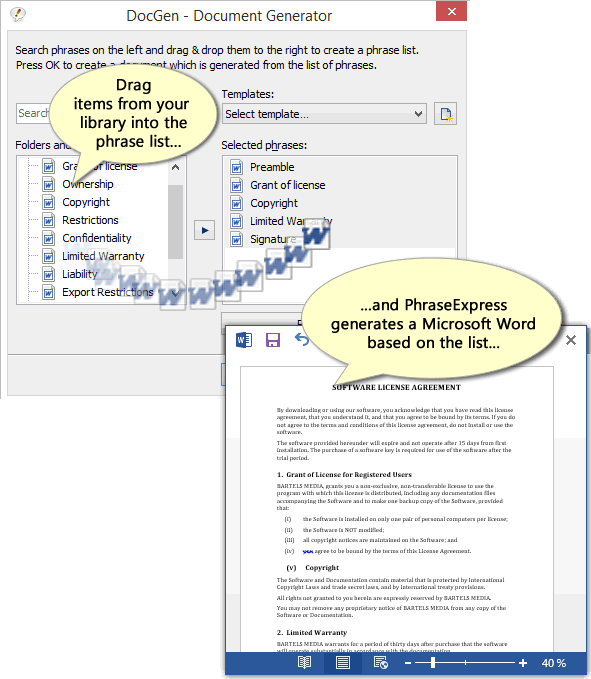


PhraseExpress Portable is a text-expansion and writing utility for people who frequently enter the same phrases, replies, forms or other text. It stores reusable snippets in phrase libraries and inserts them into documents and other text fields when needed. By keeping commonly used wording in one place, it helps reduce repeated typing for office work, customer responses, online conversations and personal writing.
Users can create and organize phrases, then call them up through hotkeys or key combinations while composing text. A saved phrase can stand in for a longer passage, such as a standard email response or a frequently used form entry. This approach is useful when the same wording must be entered in different applications: instead of switching to a separate document to copy text, the user can trigger the stored phrase from the keyboard. Phrase libraries can also be imported or exported, making it easier to transfer or back up collections.
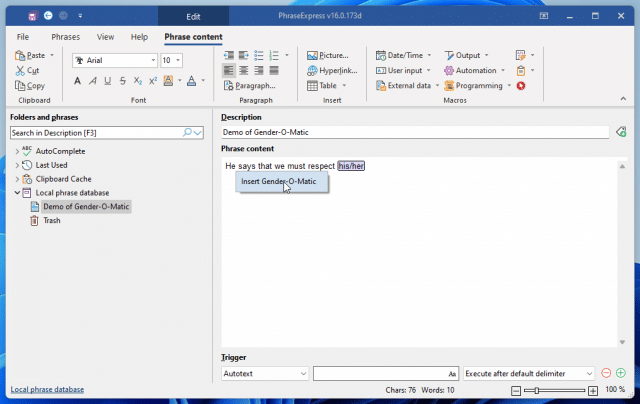
The program includes text-correction and editing tools for adjusting content as it is used. Operations include trimming text, changing character case, working with substrings and modifying text length. These functions can help standardize snippets or prepare text for a particular context without rewriting it from scratch. PhraseExpress also supports rules for phrases and sentences, while its hotkey-based controls let users work without relying solely on menus.
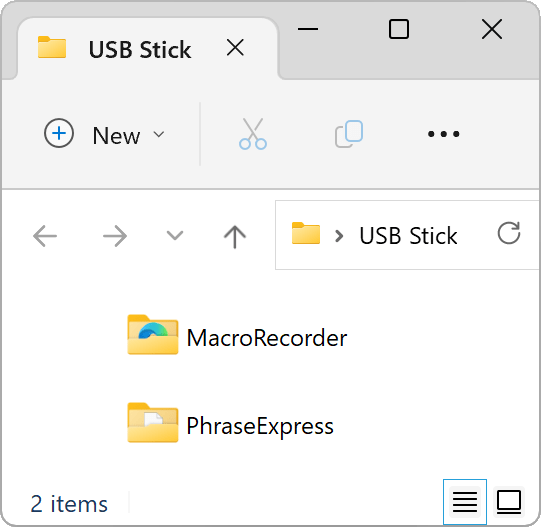
Its features suit anyone who writes repetitive or structured material, including routine messages, business correspondence, form text and chat replies. It can also help users keep frequently used wording consistent across separate tasks. The portable edition is intended to run from an external drive, which can make a personal phrase collection available on compatible computers without treating the software as a conventional fixed-installation application. Import and export options provide another way to manage phrase collections between work sessions.
PhraseExpress Portable is trialware for Windows 10 and Windows 11, including 32-bit and 64-bit Windows 10 systems. Its interface groups commands for managing phrase data and text operations, with options such as importing, exporting and printing. The program is most useful when a user has recurring text to enter and is willing to build and maintain a library of snippets; it does not replace a full word processor, but provides shortcuts for repeated writing and basic text adjustments.