USBCrypt for Windows 10 - Full description
USBCrypt is a Windows utility for protecting files stored on USB drives and other removable storage. It is intended for individuals and organizations that carry sensitive documents between computers and want those files to remain inaccessible if a device is lost or borrowed. The software uses AES encryption and provides ways to work with protected data through encrypted virtual drives or direct file operations.
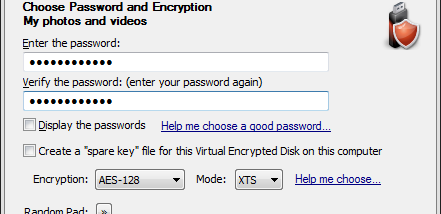
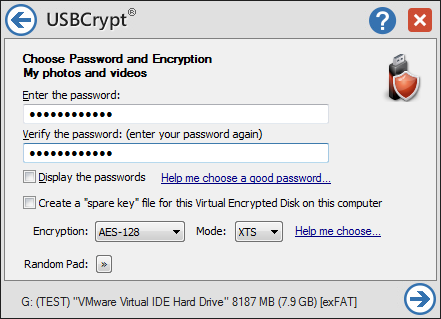
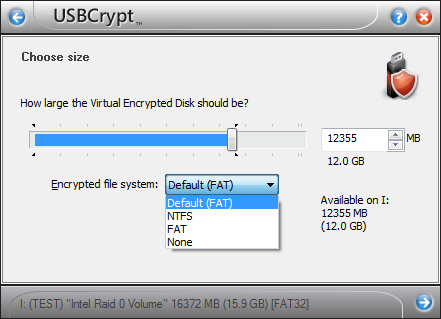
The virtual-drive option creates an encrypted area that can be mounted as a drive when needed. Once mounted, files can be opened, edited and saved through ordinary Windows applications; dismounting the drive closes access to its contents. This approach lets users keep selected documents together in a protected workspace without changing how they use their usual programs. Passwords control access, so choosing a strong password is important to the protection of the stored data.
USBCrypt integrates with Windows Explorer, allowing encryption and decryption tasks to be initiated from file context menus. This can make it practical to protect individual files or folders as part of an existing file-management routine. The program also supports portable use: the tools needed to access encrypted data can be kept on the USB drive, which is useful when moving between computers where USBCrypt is not installed. An inactivity-based automatic locking option can close access to an encrypted drive after it has been left unused for a set period.
These features suit people who transport work documents, personal records or other private files on removable media, as well as teams that need a straightforward way to safeguard portable data. The virtual-drive workflow is useful for maintaining a dedicated encrypted collection, while Explorer integration supports occasional protection of selected items. Portable access can simplify use across Windows PCs, but it does not make the encrypted contents readable on non-Windows systems.
USBCrypt is trialware from WinAbility Software Corporation. It is designed for Windows and supports Windows 10 and Windows 11, as well as Windows 7 and Windows 8 in 32-bit and 64-bit editions. The application is focused on removable storage rather than general-purpose cloud or cross-platform synchronization, so users should keep a separate backup of important files and remember the password required to access encrypted data.