DOSBox
DOSBox is an emulator for running software made for MS-DOS on modern computers. It is particularly useful for playing classic DOS games that no longer work reliably on current ...

vDos is a DOS emulator for running legacy productivity software on Windows, including word processors and database applications. It supports networked drives and printers, clipboard transfer between DOS and Windows programs, and scalable windows for high-resolution displays. The emulator is aimed at maintaining practical workflows with older business software rather than running DOS games. It is freeware from Jos Schaars and supports Windows 10 and Windows 11.
| Author: | Jos Schaars |
| License: | Freeware |
| Price: | FREE |
| Released: | May 1, 2026 |
| File size: | 2.50 MB |
| Downloads: | 203 |
| Keywords: | emulate DOS, Windows compatibility, Jos Schaars, run dos programs, DOS emulation, legacy dos software, command-line interface, vDos, legacy software, DOS emulator, emulate, emulator, performance optimization, vDos free download, dos application compatibility, DOS, virtualization, download vDos, vdos emulator, dos emulator for business, MS-DOS, dos productivity software, run DOS app |
| Author URL: | https://www.vdos.info/index.html |

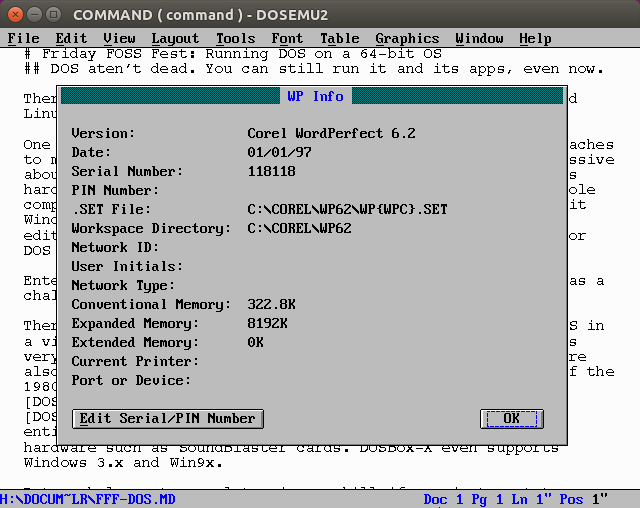


vDos is a DOS emulator for running legacy DOS applications on modern Windows computers. It is aimed primarily at people and organizations that still depend on DOS productivity software, including word processors, databases and business tools. Rather than focusing on DOS games, vDos is designed around the needs of applications used for everyday work, helping preserve access to programs that Windows no longer runs natively.
The emulator provides an environment in which a DOS program can be launched and used without requiring a separate DOS computer. Its focus on productivity makes it suited to established office workflows, such as opening records in an older database or continuing work in a familiar text-based application. Users can keep relying on software they know while using a contemporary Windows system as the host.
vDos also supports networked drives and printers, which can help connect a DOS application to shared files and printing resources in a business setting. Clipboard support allows text and other supported content to be transferred between the DOS environment and Windows applications, reducing the need to retype information when moving between older and newer tools. Scalable window sizes and support for high-resolution displays make it possible to adjust the application window for different screens and working preferences.
These features are useful when maintaining a legacy workflow, consulting historical business records or continuing to use a specialist program for which a replacement is impractical. Organizations can use vDos to keep older productivity software accessible alongside current Windows applications, while individuals may use it to revisit DOS programs for personal projects. Its emphasis is on practical application use rather than gaming.
vDos is freeware from Jos Schaars and supports Windows 10 and Windows 11, as well as earlier Windows versions. The DOS programs themselves may have their own compatibility requirements, so results can vary by application. vDos provides the environment for running them; it does not replace the programs or their data. Users can configure the environment around their application and available drives, printers and display setup.