MixPad Masters Edition
... software developed by the renowned NCH Software. This Windows 10 compatible program is a powerhouse for audio production, offering a professional platform for mixing and ...

Virtual DJ Studio combines multi-channel music mixing with karaoke tools for parties and events. It runs six audio channels in parallel, each with its own settings, including pitch, frequency and EQ controls. Users can switch between a music database and karaoke queue, while the karaoke view displays song and artist information. Its windows can be arranged together or separately.
| Author: | Next Generation Software Inc |
| License: | Trialware |
| Price: | $9.98 |
| Released: | Oct 14, 2026 |
| File size: | 36.80 MB |
| Downloads: | 2743 |
| Keywords: | Windows 10 compatible, vdj, virtual dj studio, karaoke song queue, Next Generation Software Inc, mixer, dj mixing software, six channel audio mixer, karaoke management, mp3 mixer, virtual dj, VirtualDJStudio, audio mixing, Virtual DJ Studio, professional DJ software, karaoke software, play Karaoke, music mixing application |
| Author URL: | https://www.vdj.net/ |


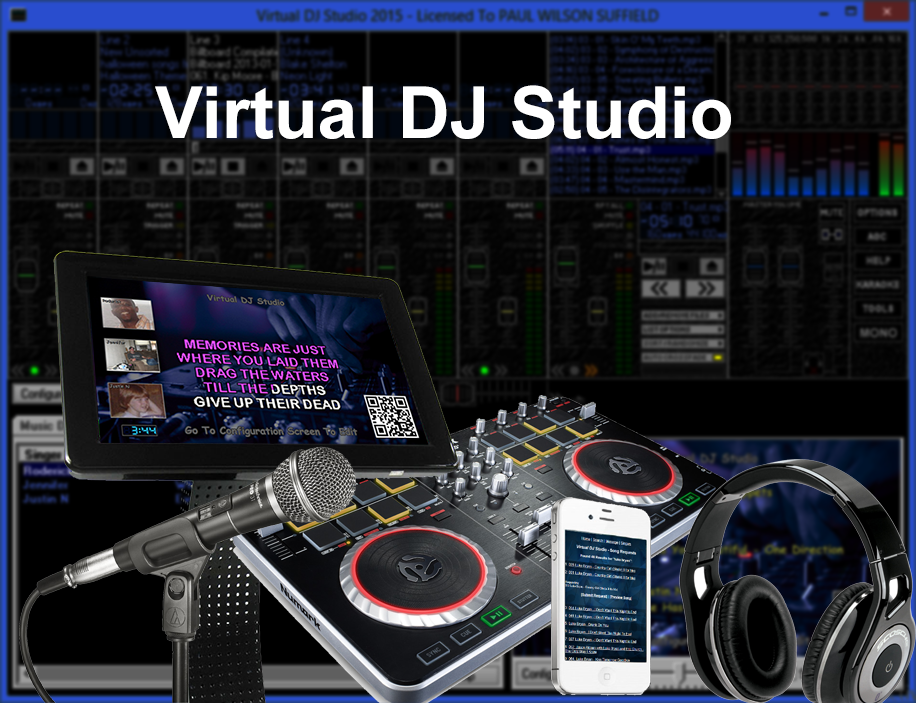


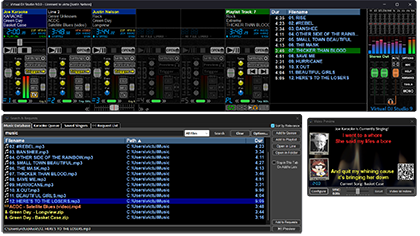



Virtual DJ Studio is a Windows audio-mixing application for DJs and other users who want to combine music playback with karaoke at parties or events. Its six-channel layout lets each channel run an audio file independently, giving the operator separate controls for managing several tracks rather than relying on a single playback queue. The interface is intended for users with some familiarity with DJ software and its mixing controls.
Each channel has settings for adjusting the sound while music is playing. Pitch and frequency controls can change the character of a track, while equalization provides a way to balance its sound. These adjustments are useful when preparing songs for a mix or making changes during playback. With multiple channels active, users can work with several pieces of music in parallel and coordinate them as the session progresses.
The program also includes karaoke tools. A dedicated karaoke view displays the song and artist information for a session, and users can move between their music database and the karaoke queue to select what plays next. The queue helps organize a sequence of songs for a group, while the karaoke display keeps song information visible during playback. This makes the software suitable for sessions that alternate between DJ mixing and group singing.
The windows can be kept together as one interface or separated and arranged independently on the desktop. That flexibility allows the mixing controls, music selection and karaoke display to be positioned according to the available screen space and the operator's workflow. Virtual DJ Studio can be used for music playback and mixing at parties, as well as for organizing casual karaoke sessions where songs are selected from a queue.
Virtual DJ Studio is trialware. It supports Windows 10 and Windows 11, along with Windows 7 and Windows 8 in 32-bit and 64-bit editions. The channel-based controls and range of sound adjustments provide hands-on flexibility, but users may need time to become familiar with the interface and its functions before operating a session confidently.