Oracle VM VirtualBox
Welcome to the download page for Oracle VM VirtualBox, a powerful and versatile virtualization software developed by Oracle. Oracle VM VirtualBox allows you to run multiple operating systems on ...

VirtualBox is Oracle's open-source software for running guest operating systems in virtual machines. It lets developers, IT professionals and home users test software, use another operating system or create isolated environments without changing the host installation. Virtual machines can be configured with multiple virtual CPUs, USB devices and multiple displays. Guest Additions improve integration for supported guests, while shared folders help exchange files. Machines can be managed through a graphical interface or command line, and their XML configurations can be moved between computers.
| Author: | Oracle |
| License: | Open Source |
| Price: | FREE |
| Released: | Apr 16, 2024 |
| File size: | 105.00 MB |
| Downloads: | 518 |
| Keywords: | Windows 10 compatibility, system emulation, virtualize, open-source technology, virtualization solution, x64 software, Virtual Box, open source virtual machine, virtual machine software, virtualization software, virtual machine, virtualization, run windows in virtual machine, virtualbox download, Oracle VirtualBox, virtual machine platform, virtual machine manager |
| Author URL: | https://www.oracle.com/ |
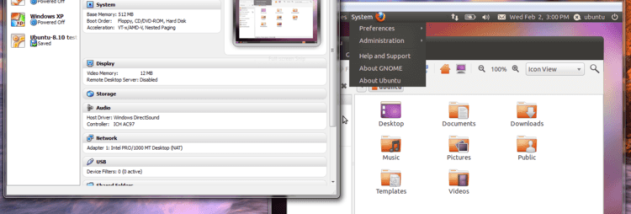
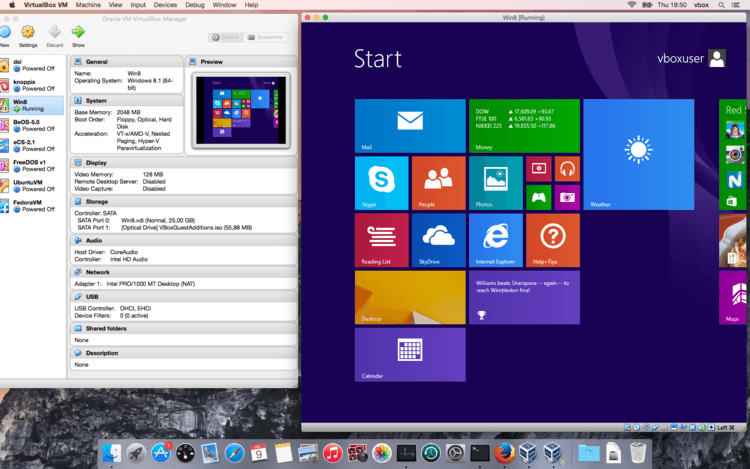

VirtualBox is an open-source virtualization program from Oracle for running one or more guest operating systems inside virtual machines on a host computer. It is used by developers testing software across different systems, IT professionals setting up isolated environments, and home users who need access to another operating system without replacing their main installation. Each virtual machine has its own configurable virtual hardware and can be started and managed independently.
A virtual machine can be configured with multiple virtual CPUs, memory, storage and display settings. VirtualBox supports guests with multiple screen resolutions, and its Guest Additions can improve integration for supported Windows, Linux and Solaris guests. These additions provide features such as mouse pointer integration and dynamic screen resizing, making it easier to work with a guest in a normal desktop window. USB device support lets compatible peripherals be made available to a virtual machine when needed.
Networking and management options support more specialized setups. VirtualBox includes iSCSI integration and PXE network boot, which can be useful when configuring network-based installation or testing environments. Machine settings are stored in XML files, making configurations easier to move between computers. The modular design allows the same virtual machine to be managed through the graphical interface and command line, and permits remote control through available interfaces. Shared folders provide a way to exchange files between a host and guest.
Typical uses include testing applications in a clean operating system, learning to administer another platform, running legacy software, and creating separated environments for development or troubleshooting. A guest can be discarded or reconfigured without changing the host system, which makes virtual machines practical for repeatable experiments. The supported guest systems include Windows, Linux, Solaris, DOS and other operating systems, with available features depending on the guest.
VirtualBox is free and open source under the GNU General Public License version 2. It runs on Windows, Linux, macOS and Solaris hosts; this download is intended for Windows 10 and Windows 11. Virtual machines require sufficient host memory, processor capacity and disk space, since their allocated resources come from the physical computer. Guest Additions are installed separately inside supported virtual machines.