MPEG4 to MP3 Converter
... the home of ZISUN Software's innovative "MPEG4 to MP3 Converter". This powerful tool is a must-have for ... seeking to convert their MPEG4 files into high-quality MP3 format with ease and precision. The MPEG4 to ...

winLAME is a Windows audio converter with a step-by-step wizard for encoding files to formats such as MP3, OGG Vorbis and AAC. It uses the LAME encoder for MP3 output and can process multiple files in a batch. Settings for bitrate, sample rate and channel mode let users adjust the balance between audio quality and file size. The open-source program suits both straightforward conversions and more controlled encoding workflows.
| Author: | Michael Fink |
| License: | Open Source |
| Price: | FREE |
| Released: | Dec 16, 2025 |
| File size: | 4.10 MB |
| Downloads: | 286 |
| Keywords: | lame encoder, batch audio conversion, wav encoder, open-source software, ogg vorbis converter, mp3 encoder, winLAME, encoder, Windows 10 compatible, MP3, Sourceforge, audio encoder, encode, aac audio encoder, winlame audio converter, x64 architecture |
| Author URL: | https://winlame.sourceforge.io/index.php |
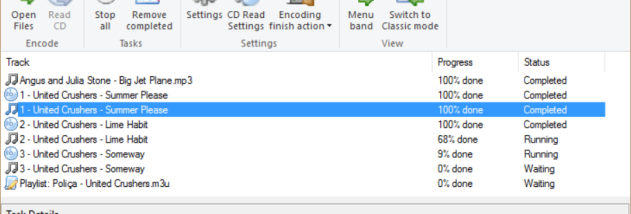
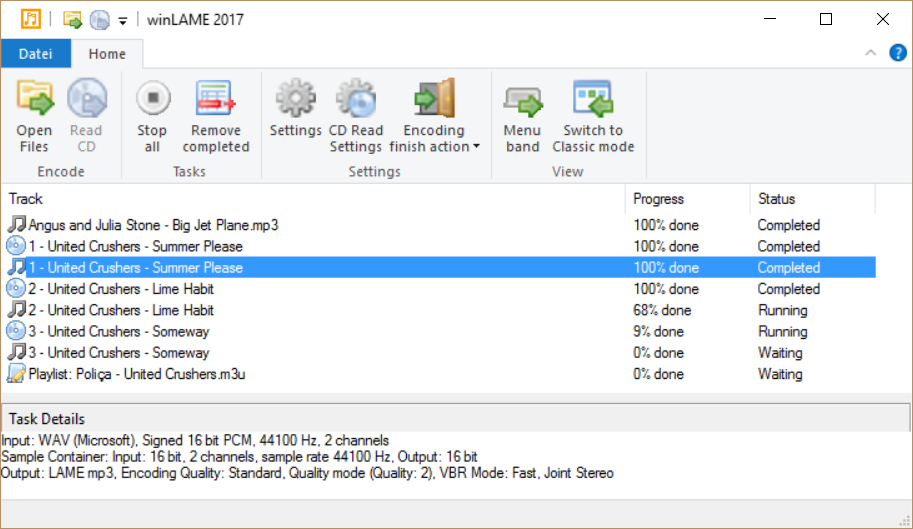



winLAME is an audio conversion and encoding program for Windows users who want to create compressed audio files without working through a complex editing suite. Its wizard-style interface leads through the conversion process step by step, making basic encoding accessible to newcomers while keeping options available for users who want more control. The program uses the LAME encoder for MP3 output and also supports formats such as OGG Vorbis and AAC.
The guided workflow helps users select audio files, choose an output format and configure the conversion before processing begins. Rather than handling tracks one at a time, users can add multiple files to a queue and run them as a batch. This is useful when preparing a collection of tracks or converting a group of files to the same format, reducing repeated setup and manual work.
For output tuning, winLAME provides settings for bitrate, sample rate and channel mode. These controls let users choose a balance between audio quality and file size, or adjust encoding to suit a particular playback device or storage limit. The program is aimed primarily at encoding and format conversion, rather than recording or detailed audio editing.
The interface keeps the main conversion steps prominent, while the configurable parameters serve users who need to tailor their output. A typical use is converting audio files into MP3 for portable playback, or creating OGG Vorbis or AAC files for software and devices that support those formats. Batch processing also makes it practical to standardize a larger music collection without configuring each track separately.
winLAME is open-source software and is available for Windows 11 and Windows 10, including 32-bit and 64-bit editions of Windows 10. It also supports older Windows releases, including Windows 8, Windows 7 and Windows Vista. Its focused encoding workflow suits users looking for a dedicated converter rather than a full media library manager or audio workstation.