x264Gui
x264Gui is a graphical front end for the x264 video encoder, intended for users who want to ... which provide the input video and processing steps. x264 is an H.264 encoder commonly used to create ...

x264 is an open-source encoding library for creating video in the H.264/MPEG-4 AVC format. It is used through compatible video applications or command-line workflows, rather than as a standalone editor. Detailed controls for bitrate, profiles, levels and motion estimation help users balance image quality, file size and encoding time. Multithreading can speed up encoding on systems with multiple processor cores.
| Author: | Videolan |
| License: | Open Source |
| Price: | FREE |
| Released: | May 28, 2025 |
| File size: | 19.60 MB |
| Downloads: | 1158 |
| Keywords: | H264 x64, x264 Video Codec, open source video encoder, Windows 10 compatibility, x64 AVC, h264 video compression, x264, x264VideoCodec x64, H264/AVC video stream x64, x264 encoder, x264 command line, efficient compression technology, high-definition video encoding, avc encoding library, h264 video encoder, h264/avc encoder x64, Videolan developer, 64bit software, encoding library x64 |
| Author URL: | https://www.videolan.org/ |
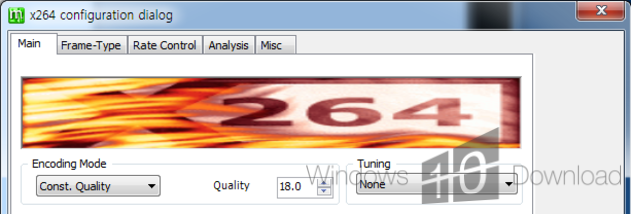




x264 is an open-source software library and command-line encoder for creating video in the H.264/MPEG-4 AVC format. It is intended for video editors, developers, media technicians and experienced users who need to encode footage for playback, delivery or storage. Rather than serving as a standalone editing application, x264 is commonly used by other video software or invoked as an encoder in a production workflow.
The encoder compresses video into AVC, balancing visual quality against bitrate and file size. A lower bitrate can make a video easier to store or transmit, while encoding settings let users decide how much processing to spend on preserving detail. This makes x264 useful when preparing files for online distribution, streaming, archives or devices that support H.264 playback. The results depend on the source material and chosen settings, so different projects can prioritize smaller files, faster processing or higher image quality.
x264 exposes detailed control over encoding, including bitrate, profiles, levels and motion-estimation options. These controls are useful when a project has specific delivery requirements or when an operator needs repeatable output across a batch of files. It also supports multithreaded encoding, using multiple processor cores to speed up work on suitable systems. In practice, the available controls and workflow depend on the application or interface through which the library is used; x264 itself is not a general-purpose video editor or playback program.
The library is used in a range of video workflows, from converting camera footage and preparing web videos to encoding media for broadcast or streaming systems. Developers can integrate it into software that needs AVC encoding, while individual users can access it through compatible applications or command-line tools. Its open-source licensing allows inspection and integration, subject to the terms that apply to the particular build and its distribution.
The download is presented as a 64-bit package, and the stated system support includes Windows 10, Windows 8 and Windows 7 in 32- and 64-bit editions. x264 does not encode to newer formats such as HEVC; it focuses on H.264/AVC. Users should check that their chosen video application supports x264 and that its encoding options meet the intended playback or delivery requirements.