GOM Player Plus
Welcome to the Windows 10 download website, where you can discover the latest and ... we are excited to introduce you to GOM Player Plus, developed by GOM & Company. GOM Player ...

YAFFplayer is a portable Windows video player built with FFmpeg support, letting it play video formats handled by those libraries. Open a file by dragging it onto the player window, then use the play and pause buttons, progress bar or fixed keyboard shortcuts to control playback. It also displays file details such as duration, resolution and codecs, and includes video effects, color adjustments, tiling and vertical synchronization. A youtube-dl-based downloader retrieves videos from supported sites when a link is pasted into the application. It does not support playlists.
| Author: | Geeks3D |
| License: | Freeware |
| Price: | FREE |
| Released: | Oct 13, 2026 |
| File size: | 73.50 MB |
| Downloads: | 91 |
| Keywords: | video effects player, video player, vide, video effects, download, YAFFplayer free download, vertical synchronization, FFmpeg video player, playback, portable video player, YAFFplayer, video downloader, youtube-dl downloader, downloader, player, download YAFFplayer, ffmpeg video player, play video, play video files |
| Author URL: | http://www.geeks3d.com/ |
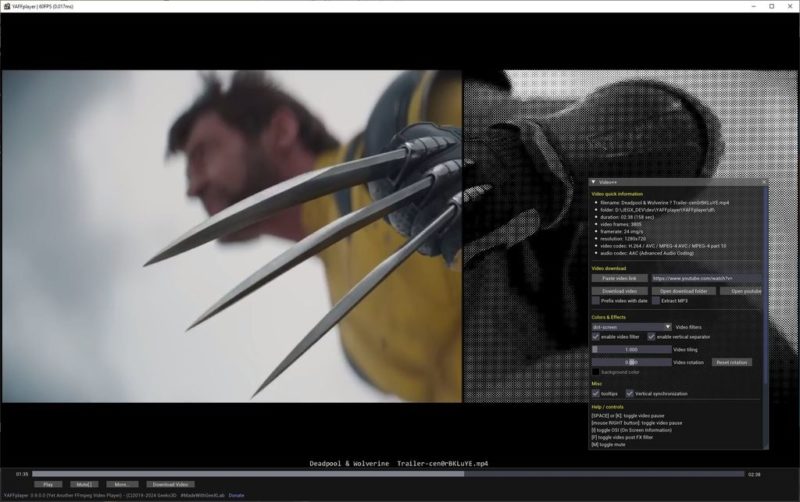
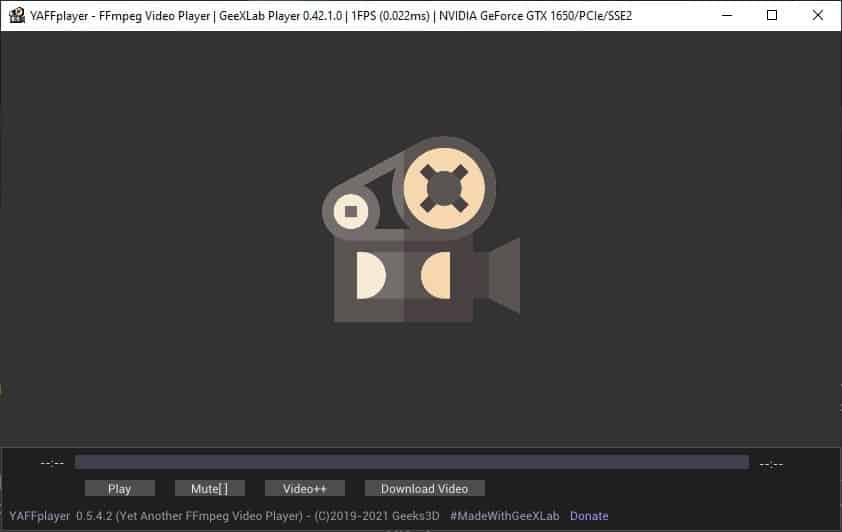
YAFFplayer is a portable video player for Windows that uses FFmpeg libraries to open and play supported video formats. Its compact interface suits people who want a straightforward way to view individual video files without installing a media suite. Files are opened by dragging them onto the player window, rather than through a conventional file menu, and the application also includes a video downloader based on youtube-dl.
Playback is controlled with play and pause buttons and a progress bar that shows the video's duration and position. Keyboard shortcuts provide additional play, pause and forward or backward seeking controls; these shortcuts are predefined and cannot be changed. YAFFplayer does not support playlists, so it is intended for opening and watching files one at a time rather than managing a queue of videos.
When a file is loaded, the player can show information including its filename, location, duration, frame, resolution and codecs. Video effects and color adjustments let viewers alter the appearance of playback, while tiling provides another way to display the video. Vertical synchronization is also available. These options make the program useful for basic playback experiments as well as ordinary viewing, though its controls and file-management features remain limited.
The downloader accepts a video link pasted into a designated area, then retrieves the video from supported video-sharing websites and social networks. This puts basic downloading alongside local playback, without requiring a separate tool for those tasks. The player's simple workflow is best suited to occasional viewing and downloading rather than extensive library organization or advanced playback control.
YAFFplayer is freeware and does not require installation, so it can be run as a portable application. It is available for 64-bit Windows 10 and Windows 11. Playback depends on the formats supported by its FFmpeg libraries, and the downloader's available sources depend on the sites it can handle.