yWriter Portable
... a portable solution for authors on the go. With yWriter Portable, you can easily organize your novel or ... you're a seasoned writer or just starting out, yWriter Portable is the perfect tool to help you ...

yWriter is a novel-writing application that organizes a book into chapters and scenes, giving authors a structured way to plan, draft and revise. Writers can set scene goals such as word counts or plot points, track progress, and use a storyboard view to review the book's structure. Character and location profiles, notes and a timeline keep story details close at hand, while a daily writing log records activity. The freeware supports Windows 10 and 11, along with earlier Windows editions.
| Author: | Spacejock Software |
| License: | Freeware |
| Price: | FREE |
| Released: | May 22, 2026 |
| File size: | 9.30 MB |
| Downloads: | 383 |
| Keywords: | Spacejock Software, story planning software, Edit novel, novel writing software, scene writing tool, scene organization, novel writing tracker, project management, scenes, character profile writer, novel editor, novel chapter organizer, Book, reorder book, novel writing tool, novel, yWriter, Writer, Organize chapter, Chapter, chapters, break novel, y Writer, character tracking |
| Author URL: | http://www.spacejock.com/ |

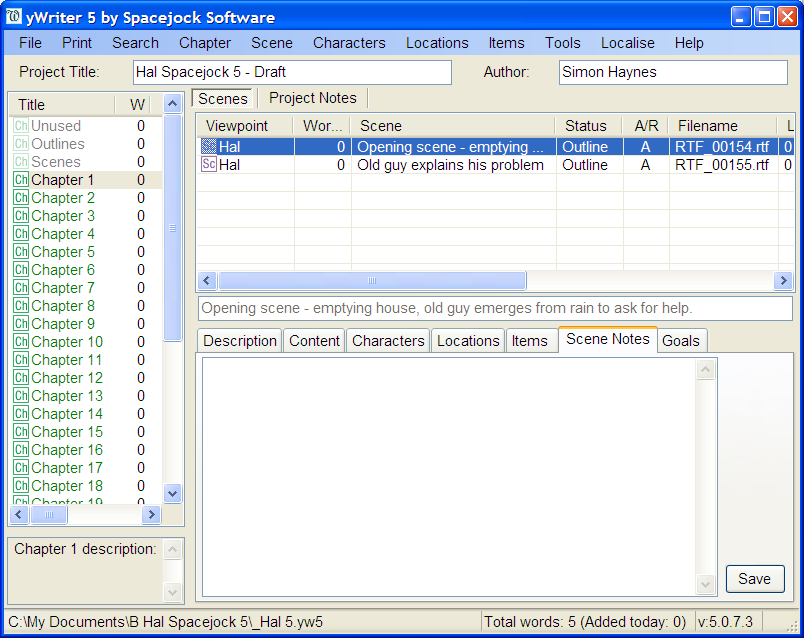
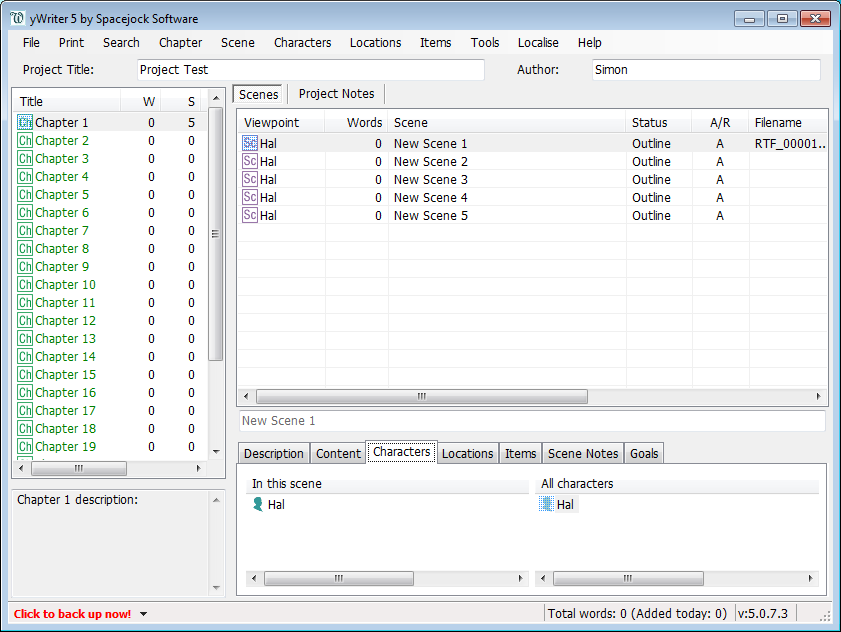



yWriter is a novel-writing application from Spacejock Software for authors who want to plan and manage a book in smaller pieces. Rather than treating a manuscript only as one long document, it organizes work into chapters and scenes. This structure makes it easier to move between sections, keep track of a story's components and see how individual scenes fit into the larger project.
Writers can create scenes and chapters, then arrange them within a project as the draft develops. Scene goals can record targets such as a desired word count or a plot point to cover, while progress tracking helps authors compare their work with those goals. This can be useful for outlining a book in advance, drafting toward milestones or revising a story whose structure is still changing. A storyboard view offers another way to examine the novel's organization and consider its progression.
The application also provides places to keep character and location profiles, descriptions and notes alongside the writing project. Having these reference details available within the same workflow can help an author check story information while drafting or editing. A timeline tool supports tracking events in chronological order, which can be helpful when a novel includes overlapping plotlines or details that must remain consistent. A daily writing log records writing activity and gives authors a way to review their habits over time.
These planning and tracking tools suit novelists who prefer to work scene by scene, as well as writers who need an overview of characters, settings and events while revising. The scene-based approach can also help break a large manuscript into manageable tasks, while goals and the writing log provide ways to monitor progress without replacing the author's own drafting process. Interface options can be adjusted to better match an individual workflow.
yWriter is freeware and is intended for Windows. It supports Windows 10 and Windows 11, as well as Windows 7 and Windows 8, in both 32-bit and 64-bit editions where applicable. Its focus is on organizing and supporting novel projects rather than serving as a general-purpose word processor. Writers looking for a structured workspace for scenes, chapters and story reference material can use it to keep those parts of a book together.