ActivTrak for Windows 10 - Full description
ActivTrak is employee computer-monitoring software for managers who need to understand how work computers are being used across a company or department. It records activity using details from the active window, including its title bar, so reports can distinguish between broad application use and specific documents, websites, or other on-screen work. Managers can monitor several user sessions from one screen and view activity as it happens.
The software tracks applications and captures information such as window captions, descriptions, executable names, and URLs. It compiles usage statistics for applications, documents, websites, and individual site pages, helping managers review patterns over time rather than relying only on live observation. Filtering tools can narrow large collections of historical activity, making it easier to focus on particular users, applications, or types of activity when reviewing months of records.
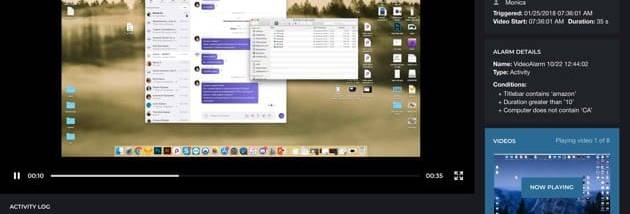
ActivTrak can show remote screen images on demand or refresh them automatically, giving managers a visual view of active sessions alongside the recorded activity details. Idle time is recorded independently of whether a screensaver is running, which helps separate active computer use from periods without input. Alerts can be configured for unusual user activity, while built-in messaging and chat allow managers to contact users from the monitoring workflow.
Typical uses include reviewing application and website usage, checking activity across multiple sessions, investigating unexpected patterns, and compiling longer-term usage summaries. Because the software records window captions and URLs as well as application names, the resulting information can include details about the work visible on screen. Organizations should consider their monitoring policies and applicable workplace privacy requirements when deciding what to collect and who may access it.
ActivTrak is trialware from Birch Grove Software. It uses the network operating system's authorization system to control access, rather than relying on a separate account system described here. It is intended for Windows workplace environments; the available operating-system information covers releases through Windows 10, so support for newer Windows releases should be confirmed before installation. The program is most relevant to organizations that want centralized visibility into computer activity and are prepared to manage the resulting records responsibly.