DVDFab_drm_removal_for_apple
Introducing DVDFab DRM Removal for Apple, a cutting-edge software developed by Fengtao ... protection from Apple music, movies, TV shows, and audiobooks. With its sleek and intuitive interface, DVDFab DRM ...

Any Audible Converter converts Audible audiobooks in AA and AAX formats to MP3, M4A, and M4B. Batch processing can handle multiple titles, while a built-in ID3 tag editor helps organize converted files by title, artist, album, and genre. Its offline workflow keeps conversion local and does not require an internet connection. The demo runs on Windows 10 and 11, plus Windows 7 and 8.
| Author: | Any Audiobook Converter Inc. |
| License: | Demo |
| Price: | $14.95 |
| Released: | Feb 10, 2026 |
| File size: | 7.90 MB |
| Downloads: | 167 |
| Keywords: | audiobook file converter, user-friendly interface, aax to m4a, high-speed processing, aax to m4b, aa to mp3 converter, batch conversion, Any Audible Converter free download, conversion, audiobook, AAX2MP4, AA to MP4, AAX to MP4, versatile format support, audible audiobook converter, Audiobook, AAX2MP3, Any Audiobook Converter Inc, DRM removal, download Any Audible Converter, Convert AAX, aax to mp3 converter, audio format, audiobook conversion, Any Audible Converter |
| Author URL: | https://www.any-audiobook-converter.com/ |


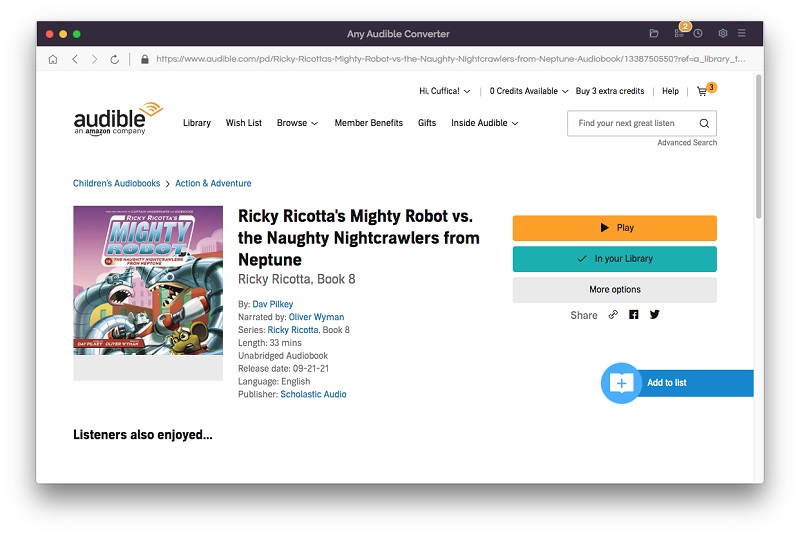
Any Audible Converter is a Windows utility for converting Audible audiobooks in AA and AAX formats into audio files that are easier to use with a range of playback devices and apps. It is suited to audiobook listeners who want to move titles into common formats or keep their collections organized outside Audible-specific file types. Its interface is designed to make the conversion process accessible without requiring detailed audio-conversion knowledge.
The program converts AA and AAX audiobooks to MP3, M4A, and M4B. MP3 is a widely supported choice for portable players and general-purpose media apps, while M4A and M4B offer alternative formats for audiobook libraries and compatible players. Users can select multiple audiobooks for batch conversion, reducing the need to process each title separately. The software is intended to retain the source audio quality during conversion.
A built-in ID3 tag editor lets users adjust metadata such as title, artist, album, and genre. These details help keep converted files identifiable and make larger libraries easier to browse or sort in media players. The offline workflow means conversion does not require an internet connection, and the audiobook files can be processed locally rather than uploaded to an online service. Conversion speed is designed to make processing multiple titles more practical, though the time required can vary with the files and computer.
Typical uses include preparing Audible audiobooks for playback on devices that do not support AA or AAX, creating MP3 copies for a portable player, and adding consistent metadata to files in a personal library. M4A and M4B output gives listeners additional format options when organizing audiobooks for compatible software. The program focuses on audiobook conversion and library preparation rather than general-purpose audio editing.
Any Audible Converter is distributed as demo software and is intended for Windows 10 and Windows 11, as well as Windows 7 and Windows 8 in 32-bit and 64-bit editions. A working copy of the audiobook files is advisable before conversion, particularly when processing a collection in batches. Users should also ensure that their use of Audible content and converted files complies with applicable terms and copyright rules.