Command Line Ftp Uploader
Welcome to the home of the Command Line Ftp Uploader, a premier software solution developed by the ... and efficient way to upload files to their FTP server directly from the command line. Command Line ...

Discover the ultimate FTP client for Windows 10 - Auto FTP Manager. Developed by Deskshare, Inc., this software offers seamless file transfers, robust security features, and an intuitive interface. Effortlessly manage your FTP connections and automate tasks with ease. Download Auto FTP Manager now and experience efficient file transfers like never before.
| Author: | Deskshare, Inc |
| License: | Shareware |
| Price: | $129.95 |
| Released: | Oct 21, 2016 |
| File size: | 15.30 MB |
| Downloads: | 227 |
| Keywords: | script FTP, filter, command line FTP, Auto FTP Manager, SFTP, file transfer, FTP, secure FTP, auto FTP manager, FTP SSL, remote file access, SFTP SSH, queue, synchronize, secure file transfer, FTP client, schedule transfer, script, automate FTP, FTPS, synchronize files, command line |
| Author URL: | http://www.deskshare.com |
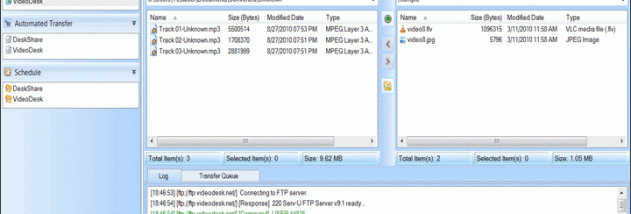
Welcome to the download page for Auto FTP Manager, a powerful software developed by Deskshare, Inc. This feature-rich FTP client is designed specifically for Windows 10, providing seamless file transfers and efficient management of your FTP tasks. With its intuitive interface and advanced automation capabilities, Auto FTP Manager simplifies your workflow, saving you valuable time and effort. Whether you are a novice or an experienced user, this software offers a user-friendly experience, allowing you to effortlessly upload, download, and synchronize files between your local machine and remote servers. Enjoy the convenience of scheduling transfers, ensuring your files are always up to date. Auto FTP Manager also supports secure connections, ensuring the safety of your data during transfers. Experience enhanced productivity and reliability with this exceptional Windows 10 software. Download Auto FTP Manager now and take control of your FTP tasks with ease.