TeamViewer Host
TeamViewer Host is a remote access component for computers ... unattended. A technician connects to a Host device through TeamViewer's remote access tools. During a session, the connected ...

TeamViewer lets users view and control computers remotely, making it useful for technical support, administration and access to a device in another location. It supports file transfers in both directions, multiple monitors, real-time sound and video, and full keyboard input. Saved computer lists simplify repeat connections, while Wake-on-LAN can start compatible systems remotely. Personal use is free; commercial use requires a license.
| Author: | TeamViewer GmbH |
| License: | Trialware |
| Price: | $13.90 |
| Released: | Oct 31, 2026 |
| File size: | 81.20 MB |
| Downloads: | 2658 |
| Keywords: | remote technical support, unattended computer access, remote computer control, remote desktop access, Remote control computer, High-definition video conferencing, transfer files remotely, Remote presentation, Connection, User-friendly interface, Remote access, desktop sharing software, Desktop sharing, Share, Multi-user sessions, Cross-platform compatibility, Secure unattended access, Connect Remote |
| Author URL: | https://www.teamviewer.com/ |
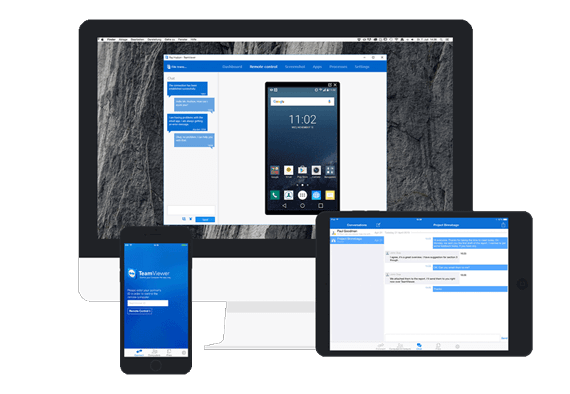



TeamViewer is a remote access and desktop-sharing application for connecting to computers in other locations. It is used by individuals who need to reach their own devices and by support staff who troubleshoot or administer remote systems. After TeamViewer is installed on the computers involved, a connection lets the operator view a remote desktop and control it with a keyboard and mouse, much as if working at the remote machine.
During a session, users can transfer files in either direction, making it possible to retrieve documents or send updates without a separate file-sharing service. Multi-monitor support helps when the remote computer uses several displays, while real-time sound and video transmission can support demonstrations and collaborative work. Full keyboard input includes special combinations such as Ctrl+Alt+Del, and touch gestures are available on supported systems. The connection can also work through firewalls and proxy servers, which is useful when devices are on different networks.
For ongoing access, computers can be saved in a list for easier management and later connections. TeamViewer can administer unattended computers, including servers, and Wake-on-LAN can start a compatible computer remotely when the network and hardware are configured for it. Instant messaging, voice calls and video calls provide ways to communicate during support or presentation sessions. Customization options include configuring hotkeys and adjusting session controls to suit different tasks.
Typical uses include helping someone diagnose a computer problem, accessing a work computer while away from it, transferring files between locations, presenting material from a remote desktop and maintaining servers without being physically present. Its remote-control features are available for Windows, Mac and Linux computers; this download is intended for Windows, including Windows 10 and Windows 11. The application uses AES-256 session encryption and RSA-2048 key exchange. TeamViewer is freeware for personal use; commercial use requires a paid license.