FastShare
FastShare is a free file transfer app for Android and Windows. • Phone to phone over Wi-Fi Direct – the phones connect directly, no router and ...

SHAREit transfers files between nearby devices, including Windows computers, Android phones and Apple devices. It can send photos, videos, documents and other content without relying on Bluetooth or cloud storage. Users find another SHAREit device nearby, select items to send and save them directly on the recipient. The freeware is suited to local, cross-platform sharing, including large files.
| Author: | Lenovo |
| License: | Freeware |
| Price: | FREE |
| Released: | Dec 8, 2023 |
| File size: | 22.70 MB |
| Downloads: | 1117 |
| Keywords: | Lenovo SHAREit, receiver, send, send file, share file, secure file sharing, file transfer utility, send videos to phone, file transfer, shareit file transfer, transfer photos to pc, sender, user-friendly interface, cross-platform sharing, high-speed data exchange, send files between devices, share files nearby, transfer, cross platform file sharing |
| Author URL: | https://www.lenovo.com/ |
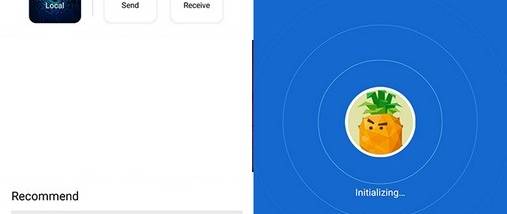

SHAREit is a file-transfer utility for moving content between Windows computers and other nearby devices. It is intended for people who need to send photos, videos, documents and other files without relying on Bluetooth or uploading them to cloud storage. The app supports sharing with devices running Windows, Android and Apple operating systems, making it useful when the sender and recipient do not use the same platform.
The main workflow is to open SHAREit on both devices, find a nearby SHAREit user and choose the files to send. The recipient accepts the transfer, and the files are delivered directly to that device. This approach is suited to sharing content locally rather than creating a web link or placing files in an online account. The program supports transfers ranging from small items to large files, including files as large as 100 GB, according to its stated capabilities.
SHAREit can handle different kinds of content in one place, including pictures, video clips and office documents. Nearby-user discovery helps people locate one another before transferring, while cross-platform support lets a Windows user exchange files with a phone or another compatible device. Because files are saved on the receiving device rather than in cloud storage, sharing does not require the files to be hosted online as part of the transfer.
Typical uses include sending photos from a phone to a computer, passing documents between colleagues nearby, or moving a video to another device. It can also help when Bluetooth is unavailable or unsuitable for the amount of data being sent. Both sides need access to SHAREit and should be close enough for the app to discover the other device; this is a device-to-device sharing tool, not a remote file-hosting or synchronization service.
SHAREit is freeware and is available for Windows 10 and Windows 11, as well as earlier Windows releases. Its cross-platform transfers depend on the corresponding SHAREit app being available on the other device. The Windows download is a lightweight desktop utility, while the actual transfer takes place between participating devices rather than through cloud storage.