BatchRename
BatchRename is a file-renaming utility for people who need ... metadata as well as existing names. For music, BatchRename reads ID3 tags, including title, album, artist, genre, ...

BatchRename Pro renames groups of files and folders using customizable rules. It can build filenames from MP3 ID3 tags, photo EXIF data, image properties, dates, and Windows shell details. Rules can change letter case, truncate names, add sequential or random numbers, and send results to another folder. Preview and QuickView help check metadata and files before renaming.
| Author: | foryoursoft.com |
| License: | Trialware |
| Price: | $26.95 |
| Released: | Aug 11, 2013 |
| File size: | 2.50 MB |
| Downloads: | 273 |
| Keywords: | file organization, rename rule, file renaming rules, file management, batch, rename files by exif data, batch file renamer, BatchRename Pro, mass renaming tool, user-friendly interface, rename, bulk rename folders, preview, rename mp3 files by id3 tags, foryoursoft.com, photo batch renaming, batch file rename, Windows 10 compatible |
| Author URL: | http://www.foryoursoft.com |
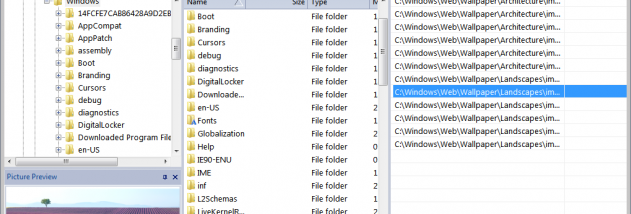

BatchRename Pro is a Windows utility for renaming groups of files and folders with rules based on names, file properties, or embedded metadata. It is suited to people organizing large photo collections, music libraries, and mixed folders who need consistent filenames without editing each item individually. Files can be added by dragging them into the list or by opening selected items from Windows Explorer's context menu.
Its rules can change capitalization, remove or replace characters, truncate names to a chosen length, and add sequential or random numbers. Rules can also use dates and properties from Windows Explorer, including audio and video details. For music files, the program can build names from ID3 tags such as title, artist, album, genre, and track-related information. For photos, it can use EXIF fields such as capture date, camera, exposure, ISO, lens, and GPS data, as well as image properties including resolution and color depth.
A preview and QuickView area help check files before applying a rule. QuickView can display images or play selected music and video, while showing relevant metadata and file properties alongside them. This makes it easier to choose the right fields for a naming pattern before processing a collection. Frequently used rules can be saved as favorites and organized with filters for reuse. The program can also send renamed files to a different output folder, keeping the originals' location separate from the organized results.
BatchRename Pro is useful for sorting camera imports by capture date or location, creating descriptive music filenames from ID3 tags, and applying uniform naming conventions to project folders. In addition to renaming, its listed features include batch photo conversion and resizing, and operations for encoding or transforming filenames using RC4, Base64, and MD5. These options extend it beyond simple text changes, though the metadata-based rules and preview are central to its file-organization workflow.
The software is trialware. Its stated Windows support covers Windows XP, Vista, 7, and 8, including certain 64-bit editions; Windows 10 and 11 compatibility is not established here. The program is designed for desktop file management and uses Windows Explorer integration for launching a rename job on selected files. Users should review the preview and output folder before processing important collections, particularly when applying broad rules across many files.