Tweaking.Com Windows Repair
... powerful solution to optimize their system's performance - Tweaking.Com Windows Repair. Developed by the renowned software experts at Tweaking.Com, this all-in-one tool is designed to effortlessly tackle ...

Tron Script is an open-source Windows batch tool for coordinating system cleaning, debloating, malware disinfection, repair and optimization. It runs a staged sequence of built-in utilities and third-party tools, creates logs and backups, and accepts command-line options to alter or skip operations. The process can take a long time and may require user input, so it suits experienced users and system administrators.
| Author: | Vocatus |
| License: | Open Source |
| Price: | FREE |
| Released: | Oct 31, 2026 |
| File size: | 806.00 MB |
| Downloads: | 56 |
| Keywords: | script, windows debloating tool, Tron Script, task automation, system maintenance, malware disinfection, Windows repair, tweaker, Windows cleaning, batch script, tweak, download Tron Script, Tron Script free download, batch system maintenance, Windows debloating, malware disinfection tool, tron script, windows repair utility, windows cleanup script, auto system tweak, batch |
| Author URL: | https://www.reddit.com/r/TronScript/wiki/index |
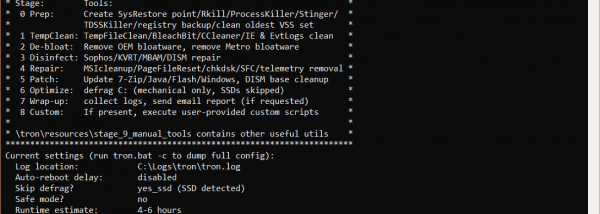
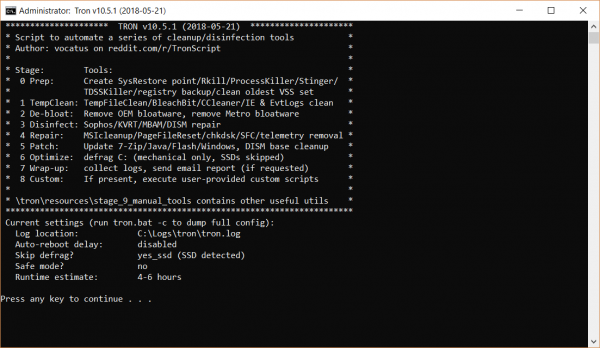


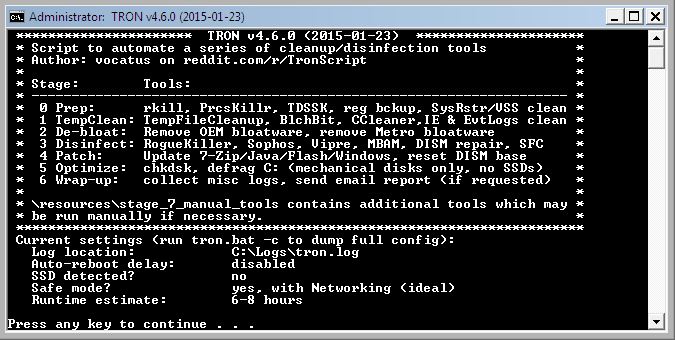
Tron Script is an open-source Windows batch script that coordinates a collection of built-in utilities, third-party tools and custom scripts for system maintenance. It is intended for system administrators and experienced PC users who want to run a sequence of cleaning, malware-disinfection, repair and optimization tasks from one command-line workflow. Rather than acting as a single-purpose cleaner, Tron organizes multiple operations into stages and records activity for later review.
The workflow begins with preparation tasks, including registry backups, screenshots and log creation, and attempts to close unresponsive processes. It then removes temporary files and performs debloating tasks, such as removing selected built-in Metro apps, Browser Helper Objects and OneDrive. Disinfection tools are used to scan for and remove malware; some scans may pause for user confirmation. Tron also runs repair and optimization steps, including work on Windows telemetry, MSI installations and file-extension associations, before completing its wrap-up tasks.
The stages can be adjusted through command-line options, so an operator can skip or modify operations that are not appropriate for a particular PC. For example, a flag can preserve OEM Metro apps that would otherwise be removed. The extracted folder also contains utilities that can be run manually rather than as part of the main sequence, and a custom-script folder allows users to add their own scripts. Reading the included instructions before execution helps clarify what each stage changes and which options to use.
Tron can be useful when maintaining or troubleshooting a Windows computer that needs several cleanup and repair tasks handled in a consistent order. Its logs provide a record of the run, with the main log stored by default at C:\\Logs\\tron\\tron.log. The process can take a long time and is not fully unattended: certain tools require input, and the computer should be restarted after the run to complete the maintenance workflow.
The script supports Windows 10 and 11, as well as Windows 8, 7 and Vista in 32-bit and 64-bit editions. It should be launched with administrative rights to reduce permission-related access errors, and Windows Updates should be allowed to finish first. Tron makes system-level changes, so it is best suited to users who understand the tasks being run and have reviewed the instructions before starting.