Boom Audio Player for Windows 10 - Full description
Boom Audio Player is a minimalist music player by Peter Pawlowski, one of the creators of foobar2000. It is aimed at people who want to play a local music collection without learning a complex audio application. Its compact, straightforward approach keeps everyday playback and browsing functions readily accessible, while its portable design makes it suitable for use without a conventional installation.
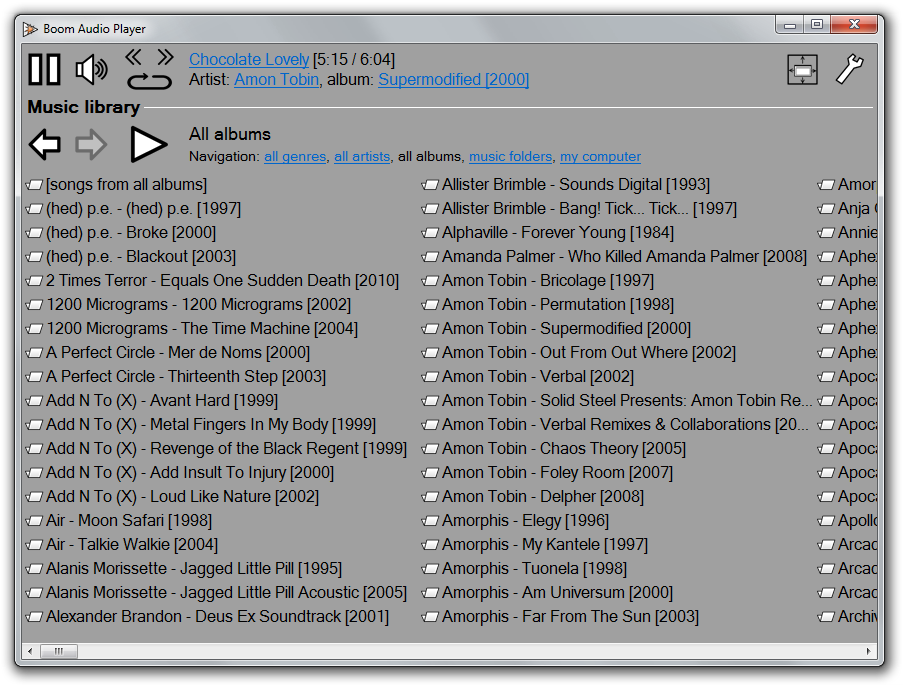
The player can find and play audio files stored in different folders on the computer. By default, it displays music from the Windows Music library folders, but users can add other locations for indexing. A structured genre, artist, album and song view helps browse a collection by its tags. When tags are missing or inaccurate, Boom can instead navigate the library through its folder structure. This provides a practical way to reach files even when their metadata is incomplete.
Boom supports common formats including MP3, Ogg Vorbis, FLAC, Musepack, WavPack, WAV, AIFF, MP4/M4A and WMA. Gapless playback provides smooth transitions between suitably encoded tracks, and ReplayGain support helps manage perceived volume differences between recordings. Writing ReplayGain information into file tags requires external software. For occasional corrections to track information, the player includes a simplified version of the foobar2000 Properties dialog.
Because Boom does not require installation or administrator rights, it can be downloaded and run directly. It can also be placed on removable media and configured to index the music stored in its own folder, making it useful for carrying a personal library between computers. The interface uses a built-in localization selected according to the system language, and additional language files can be created. Typical uses include browsing a home music collection, playing albums or individual tracks, and accessing poorly tagged audio by folder.
Boom is freeware for Windows, including Windows 10 and Windows 11. It focuses on local audio playback rather than online services: internet radio and audio CD playback are not supported. Windows Explorer integration is limited, so opening files through Explorer may require manually assigning Boom as the default program for each relevant file type.