Boom Audio Player
Boom Audio Player is a minimalist music player by Peter Pawlowski, one of the creators of ... It is aimed at people who want to play a local music collection without learning a complex ...

Twister Music Player is an open-source desktop audio player for organizing and listening to a personal music collection. It supports editable playlists, shuffle, gapless playback, crossfade, playback-speed adjustment, and track metadata editing. An equalizer, visualizations, and interface themes let listeners customize sound and appearance. Available for 64-bit Windows 10 and Windows 11.
| Author: | Moebits |
| License: | Open Source |
| Price: | FREE |
| Released: | Feb 2, 2026 |
| File size: | 140.00 MB |
| Downloads: | 425 |
| Keywords: | music player, music equalizer, playlist music player, Sourceforge, desktop audio player, player, user-friendly interface, x64 software, Twister Music Player, audio playback, gapless music playback, audio player with crossfade, play, listen, play audio, listen audio file, Windows 10 compatibility |
| Author URL: | https://github.com/Moebits/Photo-Viewer |

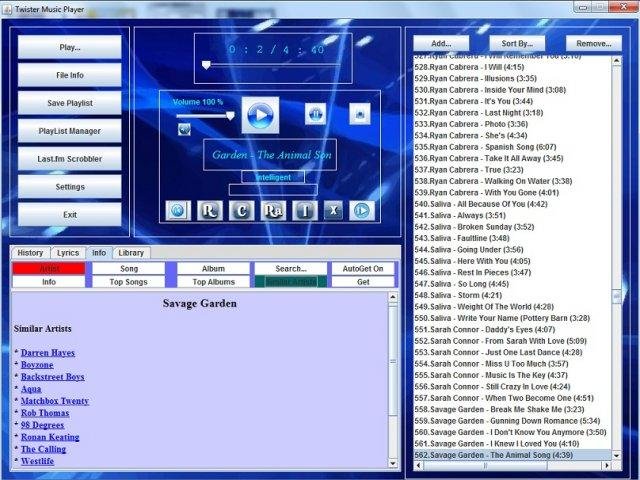



Twister Music Player is an open-source desktop audio player for people who want to manage and listen to a personal music collection in a straightforward interface. It combines everyday playback with tools for organizing tracks and adjusting how they sound, making it useful for casual listening as well as more tailored sessions. Its controls and library features keep common tasks such as finding music, building a playlist, and moving between tracks within one application.
Playlist management lets listeners gather selected tracks into groups, then create or edit those collections as their listening habits change. Playback controls include shuffle, while gapless playback avoids pauses between tracks and crossfade blends one song into the next. These options suit different ways of listening: gapless playback preserves continuity across albums, and crossfade creates a softer transition between songs in a mixed playlist. Playback-speed adjustment offers another way to change how quickly a track is heard.
The equalizer provides a way to adjust the audio balance to personal preference, while visualizations add changing visual effects during playback. Interface themes allow the appearance of the player to be customized. Track metadata can also be edited in the app, which is useful for correcting or maintaining song information without switching to a separate editor. Together, these features support both practical library upkeep and a more personalized playback setup.
Listeners can use Twister Music Player for everyday playback, organize tracks for different activities, or make adjustments to song information and sound settings as needed. Its shuffle, crossfade, and gapless modes cover distinct playback preferences, while editable playlists make it easier to choose what plays next. The combination of organizational and listening tools is intended for music collections where users want more control than basic play and pause functions provide.
Twister Music Player is open source and available for 64-bit Windows 10 and Windows 11. Its feature set includes playlist editing, metadata editing, equalizer controls, playback-speed adjustment, themes, visualizations, shuffle, gapless playback, and crossfade. It is a desktop option for Windows listeners seeking a music player with both collection-management tools and configurable playback.