uDig
... to the download page for uDig, an exceptional Windows 10 software developed by the talented Jody Garnett. uDig is a powerful and intuitive geospatial data ...

Cacidi Cropmarks adds cropmarks, bleedmarks, folding indicators, and guides to individual objects in Adobe InDesign. Its three panels handle crop and bleed settings, folding and text, and bars and symbols. Users can adjust mark length, spacing, stroke weight, rows, columns, and gutters, then save settings for reuse. It also supports custom snippets as symbols or information blocks.
| Author: | Cacidi Systems Aps. |
| License: | Trialware |
| Price: | $36.00 |
| Released: | Nov 21, 2018 |
| File size: | 5.10 MB |
| Downloads: | 243 |
| Keywords: | cropmark maker, Windows 10 software, print production marks, bleed mark tool, Adobe InDesign plugin, Cacidi Cropmarks, x64 application, cropmark, bleedmark, InDesign cropmark, indesign crop marks, graphic design tool, folding marks indesign, crop mark generator, bleedmark creator, InDesign, Cacidi Systems Aps, indesign print guides |
| Author URL: | http://www.cacidi.com/ |
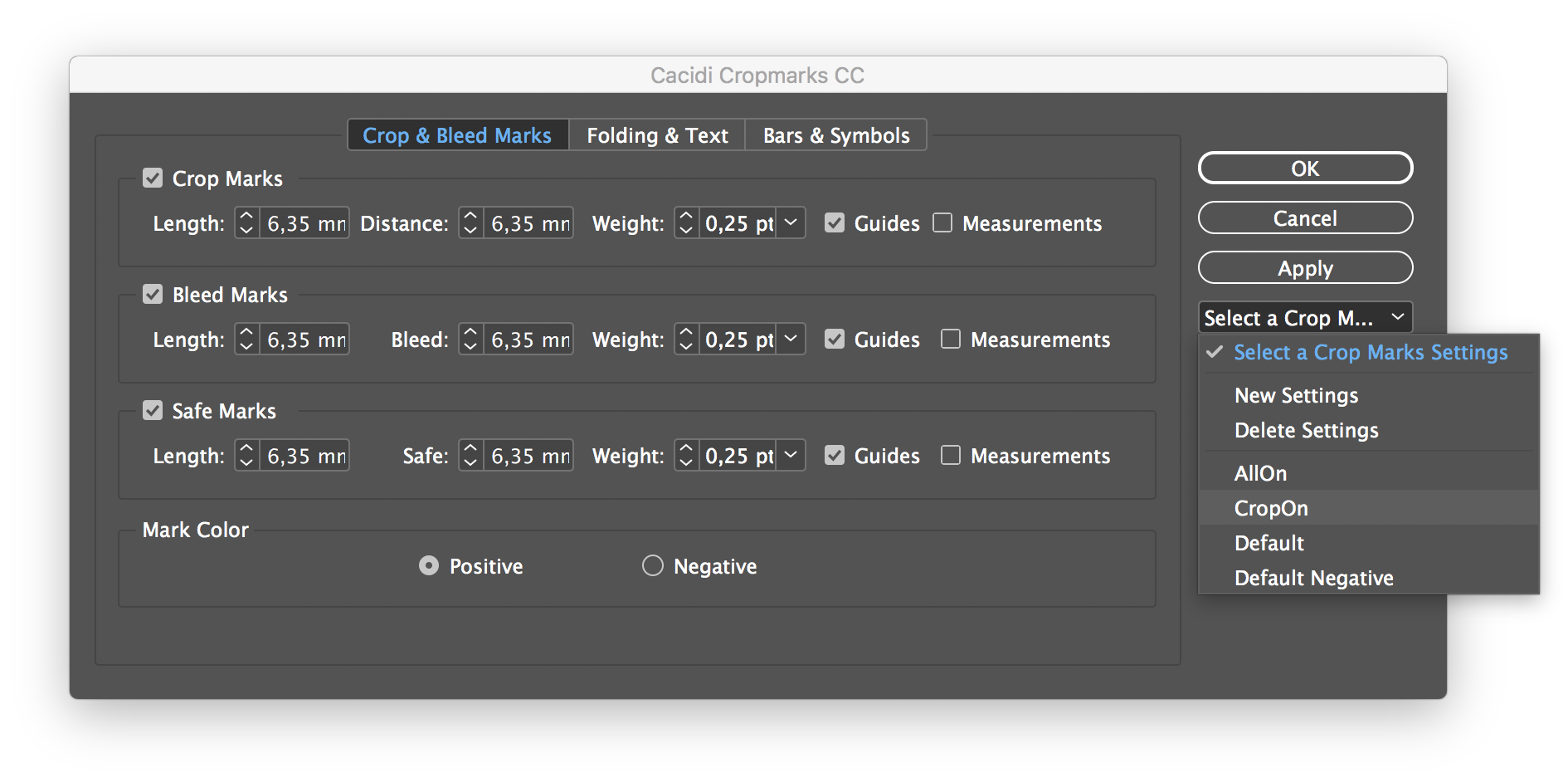

Cacidi Cropmarks is an Adobe InDesign tool for adding production marks and layout guides to selected objects. It is intended for designers and print-production staff preparing page elements for trimming, folding, or other finishing. Because marks can be applied to individual objects, they can be tailored to an element's dimensions rather than added only around an entire page.
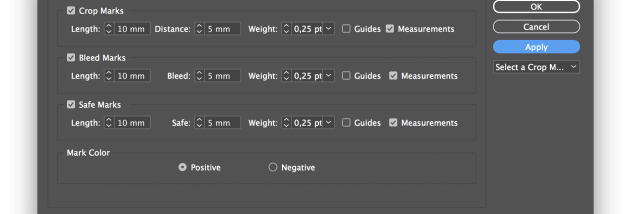
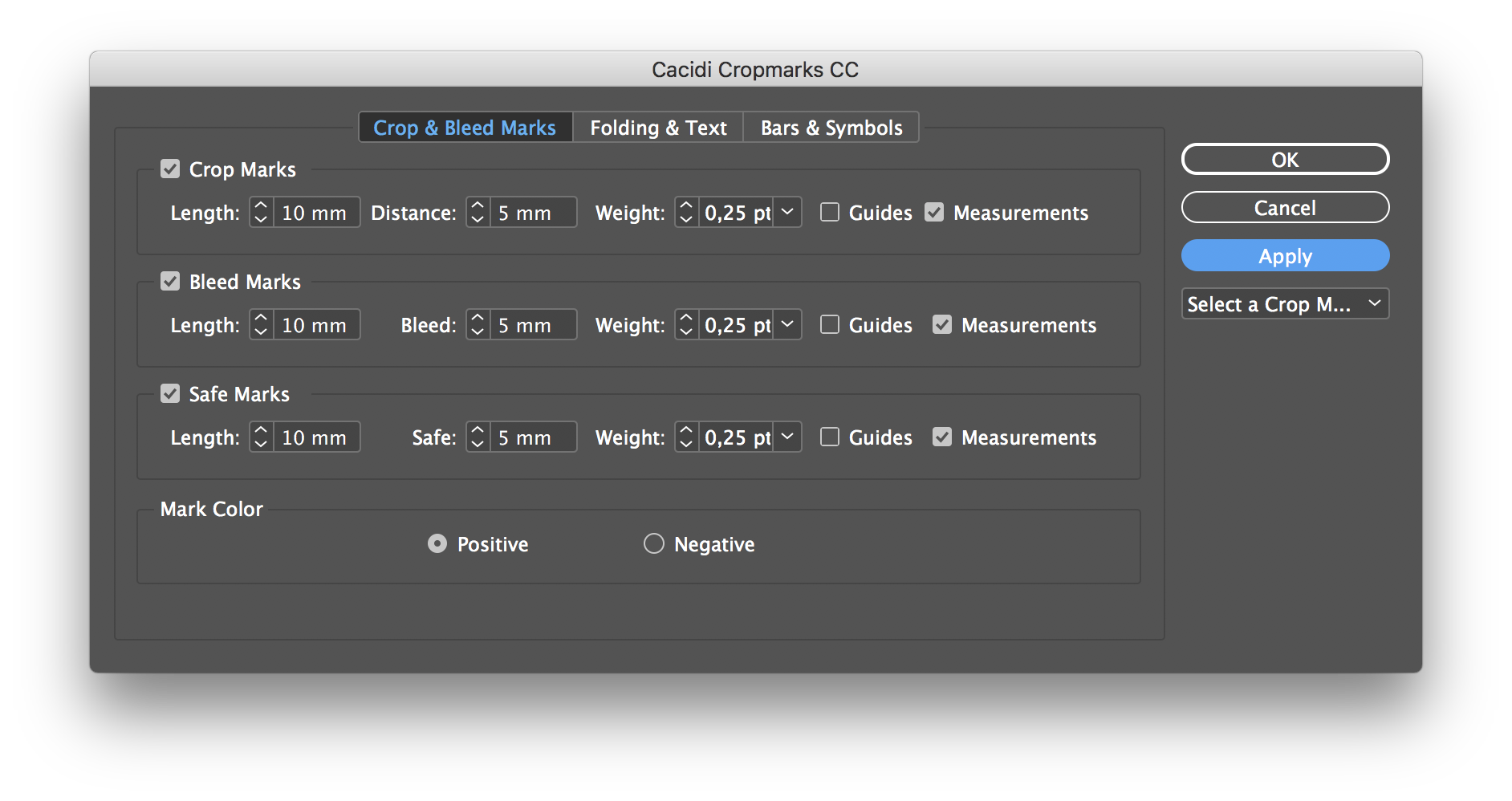
The Crop & Bleed Marks panel controls cropmark length, the gap between a mark and its object, and stroke weight. Bleed marks can be added independently of cropmarks and extend beyond the cropmark setting point. This makes it possible to check whether an object has enough bleed while working in InDesign's layout view. Settings for mark dimensions and appearance can be adjusted to suit different jobs.
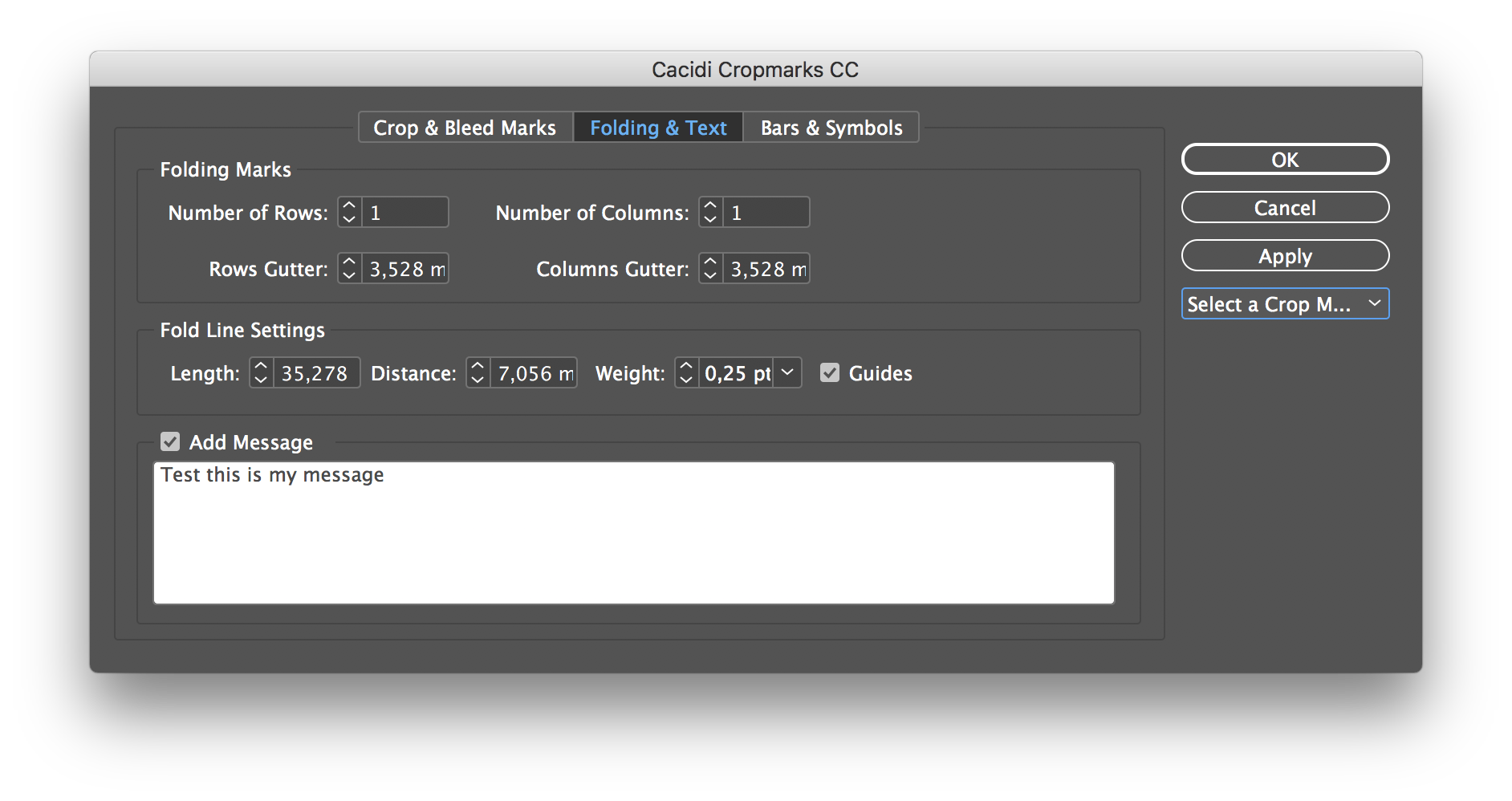
Folding & Text provides controls for arranging an object into rows and columns, setting gutters, and adding fold indicators. Folding lines use a dashed stroke and an arrow to show the fold direction; gutter lines are dashed without arrows. Their length, distance from the object, and stroke weight can be adjusted, with options for guides and color differentiation. A text frame can also be placed below the selected object to hold production information, using the document's default text settings, including its font and text style.
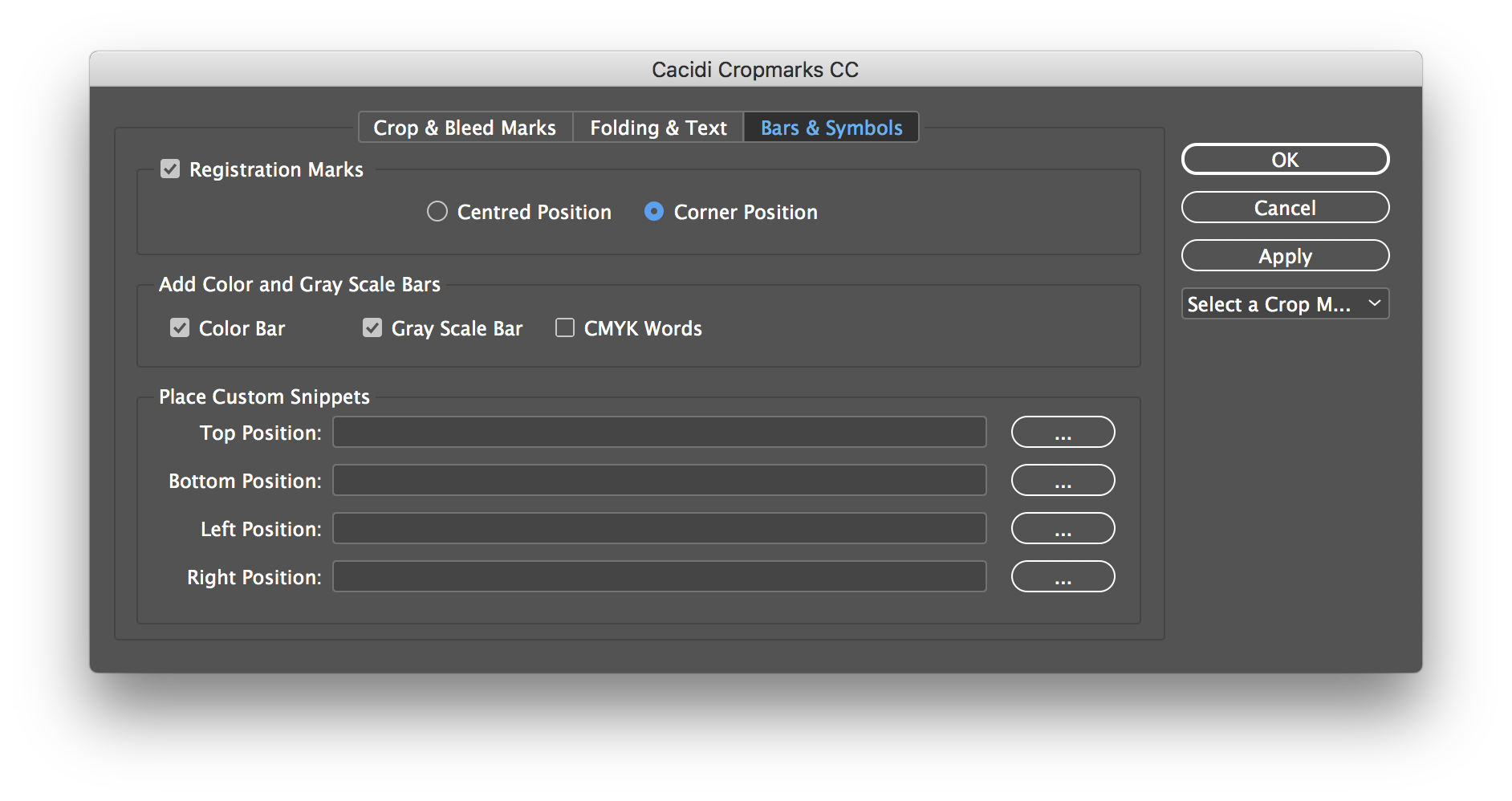
The Bars & Symbols panel adds visual elements to a layout, including bars and symbols. Users can create snippets of their own and reuse them as symbols or information blocks. Presets for the panels' settings can be saved and selected later, helping maintain consistent marks and guides across objects or recurring jobs. Typical uses include preparing packaging, folded pieces, and other print layouts that need object-level trim, bleed, or finishing indicators.
Cacidi Cropmarks is trialware from Cacidi Systems ApS and works as an add-on for Adobe InDesign. It is intended for Windows computers; the supplied platform information includes Windows 10 and earlier releases, but does not establish support for Windows 11. An Adobe InDesign installation is required to use its document-focused tools. The controls are organized by task, so crop and bleed settings, folding and text options, and bars and symbols can be adjusted separately and saved for reuse.