Audio Splitter
... for ZISUN Software's innovative product, "Audio Splitter". This Windows 10 compatible software is a must-have tool for all your audio editing needs. Audio Splitter is a freeware that ...

Chapter and Verse combines AAC audio files into a single chapterized audiobook for iTunes, QuickTime and compatible iPods. It can create chapter marks at file boundaries or regular intervals, and lets users add, change or remove chapters. Metadata and artwork can be set for the finished audiobook, previewed before building, and optionally added to the iTunes library.
| Author: | Loden Software |
| License: | Freeware |
| Price: | FREE |
| Released: | Jan 10, 2015 |
| File size: | 9.80 MB |
| Downloads: | 262 |
| Keywords: | metadata editing, library, Windows 10 compatible, create, convert, audiobook metadata editor, audio, iTunes, add audiobook chapters, freeware, Chapter and Verse, chapterized audiobook creator, audiobook, combine audiobook files, aac audiobook editor, x64 architecture, Loden Software, audiobook creation, play, music, audiobook cover artwork |
| Author URL: | http://lodensoftware.com/ |


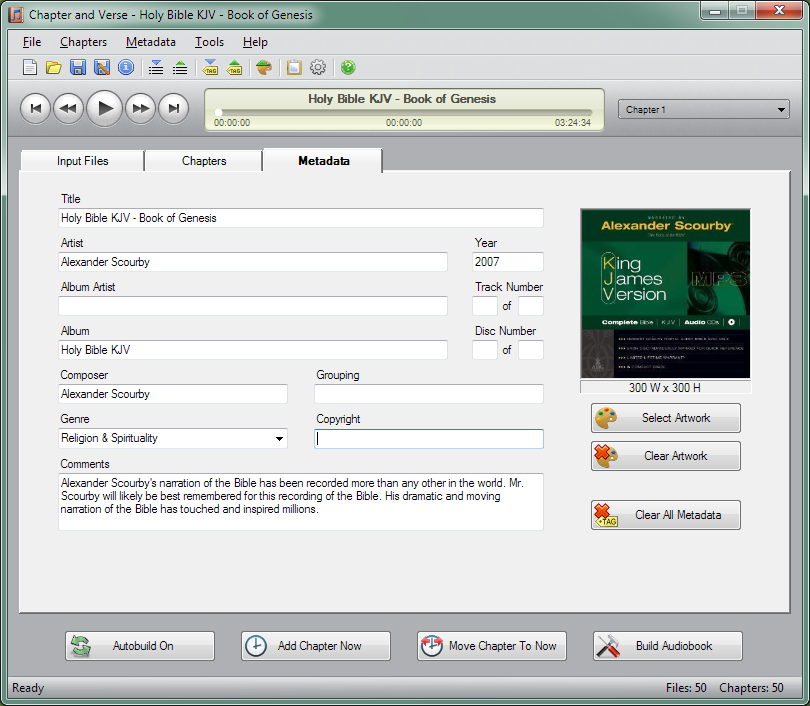

Chapter and Verse is a freeware tool for assembling AAC audio files into chapterized audiobooks for use with iTunes, QuickTime and compatible iPods. It is intended for listeners who want to organize a multi-part recording as one audiobook, add navigable chapter points and set the information and artwork displayed during playback.
The program can combine several input files into a single audiobook. It can create a chapter at the beginning of each source file, or add chapters at intervals chosen by the user. Once the combined audiobook is assembled, individual chapter marks can be added, edited or removed. A source file that already contains chapters can also be opened so its existing chapter structure can be changed or extended. Chapter images can be assigned and displayed in supported playback software and on selected iPods.
For editing by playback position, Chapter and Verse creates a virtual copy of the audiobook so changes can be checked before the final file is built. The user can listen to this preview, add a chapter at a specific time, or adjust a chapter to match the current position in the player. This makes it possible to locate chapter boundaries by listening rather than estimating their timing from a separate timeline.
Audiobook details can be entered through fourteen metadata fields, including title, artist, album, composer and comments, and the combined file can include cover artwork. Project files preserve the input files, chapter settings and metadata for later editing. Separate tools support importing and exporting metadata, artwork and chapters, while an audio-property query provides information about the input files. After building an audiobook, the program can optionally add it to the iTunes library.
Chapter and Verse is free to use and requires Apple QuickTime and Windows Media Player to run. Its workflow is based on AAC-formatted audio and is designed around audiobook playback in iTunes, QuickTime and compatible iPod models. It is suited to preparing long recordings from multiple files, or revising chapter marks and presentation details in an existing chapterized audiobook. Supported Windows versions include Windows 10; Windows 11 support is not established.