DMDE
DMDE is a disk editor and data-recovery utility for users who need to inspect storage, locate lost partitions or retrieve files from damaged volumes. It works with FAT12/16, ...

Comfy Photo Recovery helps Windows users find images deleted by mistake or lost from storage devices. Its wizard guides the scan and recovery process, with filters for file type, size and date. It can search memory cards, phones, tablets, USB drives and hard disks, including deleted partitions and disk image files. Preview pictures before saving them locally, to disc, through FTP or in an ISO image.
| Author: | Comfy Software |
| License: | Demo |
| Price: | $39.95 |
| Released: | Oct 12, 2026 |
| File size: | 14.00 MB |
| Downloads: | 28 |
| Keywords: | photo recovery tool, recovery, retrieve, photo recovery software, file recovery, disk, recover formatted drive photos, Comfy Photo Recovery, RAW image recovery, raw image recovery, Comfy Photo Recovery free download, deleted photo recovery, image recovery, memory card photo recovery, download Comfy Photo Recovery, recover photo, photo, recover deleted photos, photo recovery, partition recovery, restore |
| Author URL: | https://www.my-data-recovery.com/hard-drive-recovery/ |

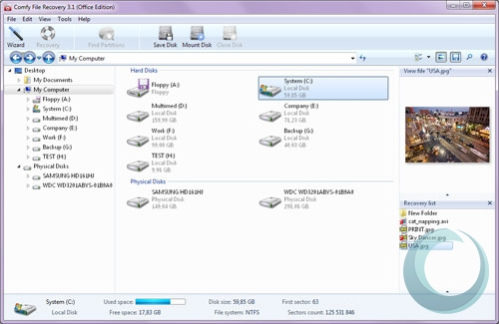
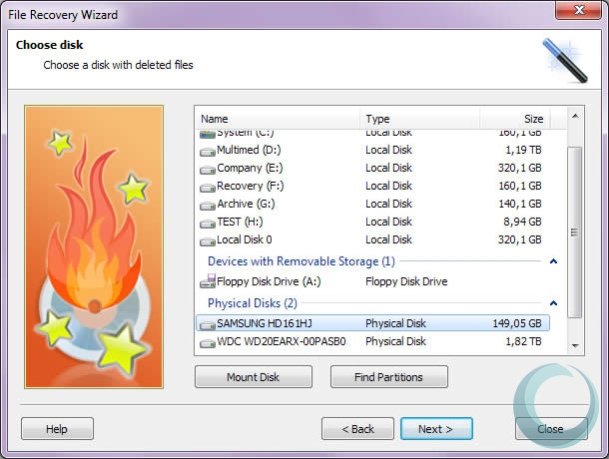


Comfy Photo Recovery is a Windows utility for finding and restoring image files that have been deleted accidentally or lost because of storage problems. Its wizard-based workflow guides home users through selecting a storage source, scanning for pictures and choosing files to recover. It works with camera memory cards, phones, tablets, USB flash drives, and internal or external hard disks, making it useful when photos disappear from commonly used devices.
Scans can be narrowed by image format, file size or date, helping reduce results when a drive contains many files. The program supports a wide range of image formats, including RAW files, so it can search for both standard photos and images produced by digital cameras. After scanning, users can preview found pictures before deciding what to restore; the built-in viewer also provides image rotation. These steps make it easier to check that a result is the needed photo rather than saving files indiscriminately.
The recovery process is not limited to currently available drives. Comfy Photo Recovery can search deleted partitions, which may help when a logical drive has been formatted or removed. It can also work with disk image files, providing another route for examining a saved copy of storage rather than scanning the original device directly. Recovered images can be saved to local storage, burned to a disc, transferred through FTP or packaged in an ISO image file. These output options support different backup and handoff workflows.
The software is intended for personal photo recovery after accidental deletion, formatting or hardware-related data loss. Its filters and previews help users focus on relevant images, while the guided interface keeps the procedure accessible to less experienced users. As with other recovery tools, the results depend on whether image data remains available on the storage medium; continued use of a device after files are lost can affect recovery prospects.
Comfy Photo Recovery is offered as demo software. It runs on Windows 10 and Windows 11 and also supports older Windows releases, including Windows 8, 7, Vista and XP, in both 32-bit and 64-bit editions where indicated. It can be used with removable media and disk images as well as computer drives, so the storage source does not need to be a camera card connected directly to the PC.