cwRsync for Windows 10 - Full description
cwRsync brings the rsync file synchronization tool to Windows, for administrators and other users who need to copy, mirror or back up data between directories and remote systems. It uses the rsync approach to compare source and destination files, making it useful for repeat jobs where only a portion of the data changes. Its command-line interface suits scripted and scheduled workflows as well as manual transfers.
For incremental synchronization, cwRsync transfers file changes rather than retransmitting every unchanged file. This can reduce network traffic and shorten routine backup runs, particularly when working with large collections of data. Users can choose synchronization options and parameters to shape a task around their source, destination and desired handling of files. Jobs can run between local directories, between a Windows machine and a remote server, or across a combination of local and remote locations.
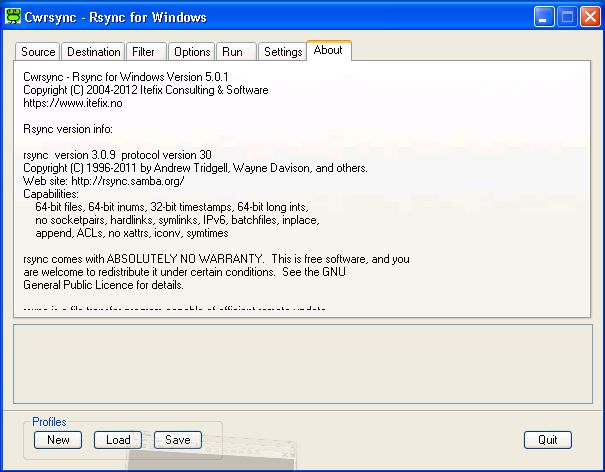
Remote transfers can use SSH, which encrypts the connection while data is sent. This makes cwRsync suitable for moving backups or working files across networks where an unencrypted transfer would be inappropriate. The command-line design also allows tasks to be incorporated into scripts and repeatable administration procedures, so recurring copies can follow the same settings instead of being configured afresh each time. Users who prefer graphical controls can pair cwRsync with a third-party GUI; the core program itself is operated from the command line.
Typical uses include keeping directories in sync, transferring files to remote servers, and maintaining incremental backups while limiting repeated data transfer. System administrators can apply it to routine data movement and backup tasks, while technically confident users can use its configurable commands for more specific synchronization needs. Its options provide flexibility, but users should be comfortable working with command-line tools and selecting settings appropriate to the source and destination.
cwRsync is open-source software developed by Tevfik Karagulle. It is intended for Windows and supports Windows 10 and 11, along with several Windows Server editions. The supplied system requirements mention cwRsync Server and cwRsync Setup Environment. The program is a practical choice for users seeking an rsync-based Windows workflow, rather than a standalone graphical file manager.