MSI Afterburner
MSI Afterburner is a graphics card utility for users who want to adjust GPU performance and cooling or keep track of hardware behavior. It supports graphics ...

D3DGear is a Windows utility for monitoring frame rates and capturing gameplay. It works with DirectX and OpenGL games and applications, displaying a frame-rate counter on screen while they run. Users can also record 3D gameplay to AVI and save screenshots in popular image formats using a predefined hotkey. It is trialware.
| Author: | D3DGear Technologies |
| License: | Trialware |
| Price: | $29.85 |
| Released: | Dec 14, 2021 |
| File size: | 21.00 MB |
| Downloads: | 341 |
| Keywords: | measure frame rate, DirectX OpenGL video recording, D3DGear Technologies, avi game recording, screenshot, display frame rate, minimal system performance impact, intuitive user interface, Twitch streaming software, measure, high performance gameplay recording, opengl frame rate monitor, real-time game benchmarking, framerate, screenshot capture, game screenshot capture, gameplay recorder, game fps counter, directx screen recorder |
| Author URL: | https://www.d3dgear.com/ |
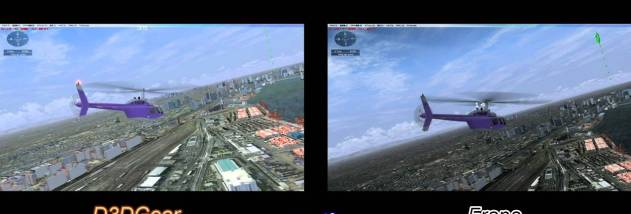

D3DGear is a Windows utility for checking frame rates and capturing video or screenshots from 3D games and other applications. It works with DirectX and OpenGL software, making it useful to players who want to monitor performance while a game is running, as well as people who need to save gameplay footage or images for later review.
The program can measure a game's frame rate automatically and display the result on screen. To use this overlay, D3DGear is started before the game; the frame-rate counter then appears during play, so performance can be observed without leaving the application. This is useful when comparing graphics settings, checking for frame-rate changes during demanding scenes, or recording a visible performance reading for troubleshooting.
D3DGear can record 3D gameplay to an AVI movie while the game continues to run. This lets users capture an in-game session for walkthroughs, demonstrations, or personal archives, without having to recreate the action afterward. Recording is aimed at games and other 3D applications rather than general desktop video capture, and the program is launched ahead of the application to be recorded.
For still images, D3DGear captures screenshots from games and applications and saves them in popular image formats. A predefined hotkey makes capture available while the application is in focus, avoiding the need to switch to a separate screenshot tool. Multiple screenshots can be taken and saved, which is useful for collecting game scenes, documenting visual issues, or keeping reference images from a 3D application.
D3DGear is trialware and is intended for Windows. Its stated operating-system support includes Windows 10, along with earlier Windows releases; Windows 11 compatibility is not established here. Users should start the utility before launching the game or application they want to monitor or capture. The combination of an on-screen frame-rate display, AVI recording, and hotkey-based screenshots suits users who want these tasks handled by one focused tool.