RivaTuner
RivaTuner is a graphics-card tuning utility for users who want detailed control over NVIDIA GeForce and supported ATI Radeon display adapters. It combines driver-level configuration with ...

MSI Afterburner is a graphics card tuning and monitoring utility for AMD and NVIDIA GPUs. It provides core and memory clock controls, supported voltage adjustments, fan speed settings and profiles that can be activated with hotkeys. A visual fan-curve editor, configurable hardware monitoring, on-screen display, history logging and BMP, PNG or JPG screen capture round out its tools. Feature availability depends on the graphics card.
| Author: | MSI Co. LTD. |
| License: | Freeware |
| Price: | FREE |
| Released: | Oct 3, 2023 |
| File size: | 52.80 MB |
| Downloads: | 6589 |
| Keywords: | Overclock Graphic Card, overclocking utility, Boost Graphic Card, Overclock, custom fan profiles, in-game FPS counter, hardware troubleshooting tool, graphics card tuning, gpu overclocking utility, Optimizer, gpu temperature monitor, gpu fan curve control, Graphics Card Booster, Booster, graphics card overclock profiles, GPU temperature monitoring, MSI Afterburner, gpu hardware monitoring |
| Author URL: | http://event.msi.com/ |

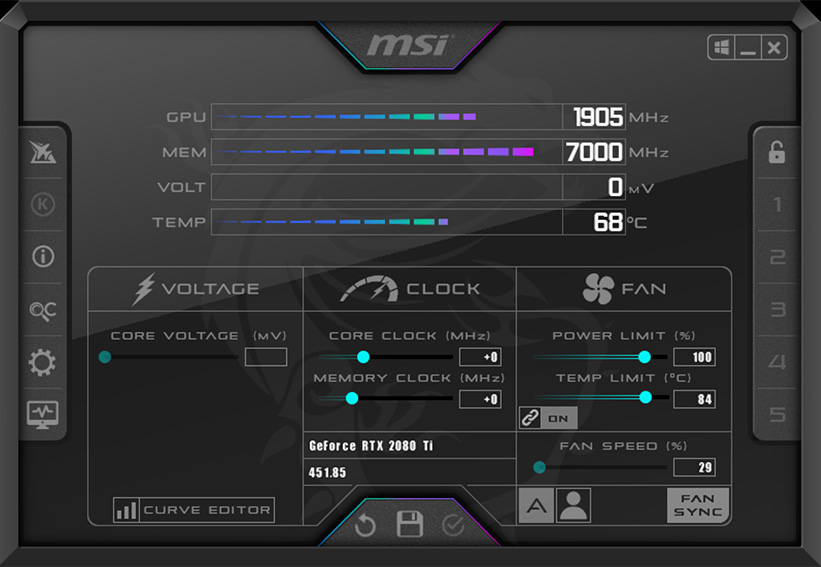
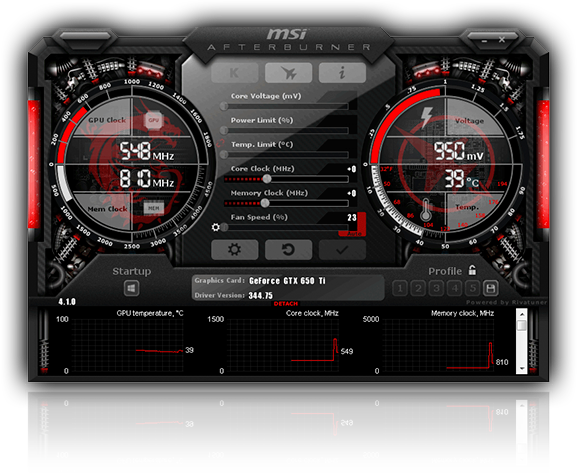

MSI Afterburner is a graphics card utility for users who want to adjust GPU performance and cooling or keep track of hardware behavior. It supports graphics cards from both AMD and NVIDIA, so its core tuning and monitoring tools can remain familiar when a system's GPU brand changes. Controls and available readings depend on the graphics card and its driver.
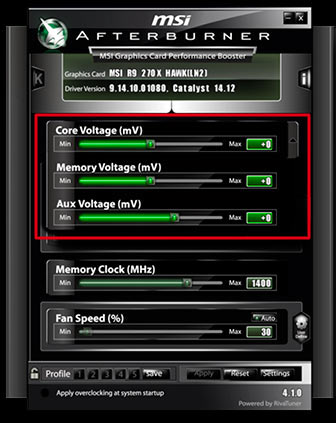
The utility provides clock controls for the GPU core and memory, with shader clock adjustment available on supported NVIDIA GeForce 8-series and newer cards. Users can save overclocking settings in profiles and activate them with hotkeys, making it easier to switch between configurations for different workloads. Voltage regulation is also available on supported hardware, including GPU and VRM voltage controls where the card exposes them. These adjustments are intended for users comfortable with tuning and checking system stability.
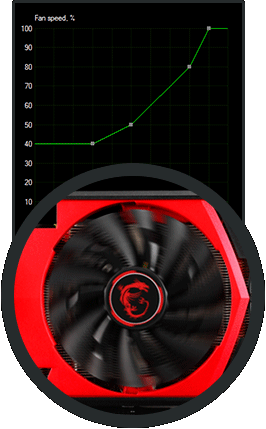
Afterburner can set a fixed fan speed or use the card's normal automatic fan behavior. Its software-based fan control lets users create a custom speed curve in a visual editor, linking fan speed to temperature rather than relying only on a fixed setting. This gives users a way to balance cooling and fan noise as workload and GPU temperature change. Multi-GPU support is included, with the exact controls depending on the installed hardware.
Hardware monitoring displays GPU information and sensor readings through a configurable graph, tray icons, supported Logitech LCD devices and an on-screen display. Monitoring history can be logged in RivaTuner hardware monitoring log format, which helps users review changes during a gaming session or performance test. The screen capture function saves images in BMP, PNG or JPG format. Skins, language packs and add-on applications can extend or customize the interface and its companion tools.
MSI Afterburner is freeware for Windows, including Windows 10 and Windows 11. Although it is an MSI utility, it also works with compatible AMD and NVIDIA graphics cards; not every feature is available on every model. Overclocking and voltage changes can affect stability, temperatures and hardware operation, so settings should be adjusted gradually while monitoring the GPU. It is suited to enthusiasts who want tuning controls and live hardware readings in one application.