Double Commander
Double Commander is an open-source, cross-platform file manager for people ... supported archive formats without first extracting everything manually. Double Commander can also create archives, with formats and compression ...

Double Commander is a free, open-source file manager with two side-by-side panels for working between folders and drives. Tabs keep multiple locations open, while background operations handle file transfers. It can browse archives as subdirectories, supports bulk renaming and full-text search, and includes a text editor with syntax highlighting plus a viewer for text, binary and hexadecimal files. A configurable button bar and Total Commander plug-in support add workflow options.
| Author: | Sourceforge |
| License: | Open Source |
| Price: | FREE |
| Released: | Feb 3, 2020 |
| File size: | 19.20 MB |
| Downloads: | 539 |
| Keywords: | manager x64, double commander, File management, Dual-pane interface, Double Commander, file management x64, Sourceforge, file manager x64, management x64, manage file x64, bulk file renaming, 64-bit software, open source file manager, archive file manager, manage x64, file manager with tabs, dual pane file manager, Open-source software |
| Author URL: | https://sourceforge.net/ |
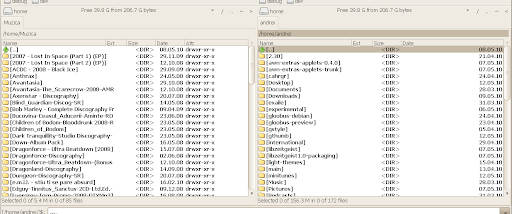
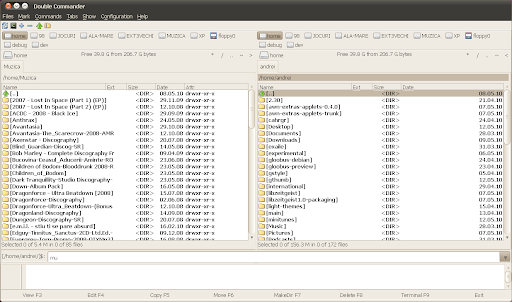
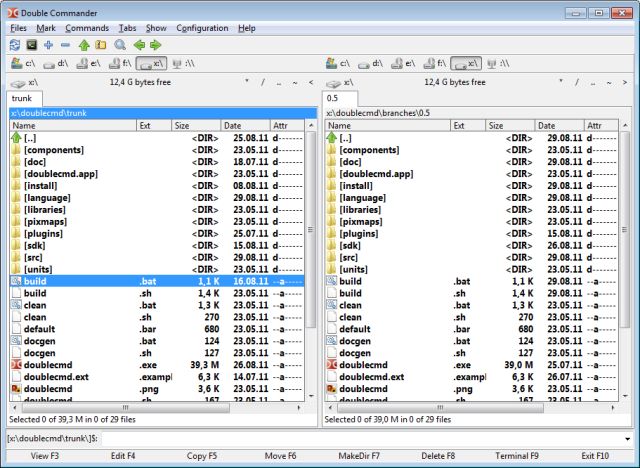

Double Commander is an open-source file manager for people who organize and move files between folders, drives and archives. Its two side-by-side panels make it possible to view separate locations at once, compare their contents and copy or move items between them without repeatedly opening new windows. The interface is inspired by Total Commander and also includes its own tools and configuration options.
The dual-panel layout is paired with tabs, so several folders can remain open in each panel while work continues elsewhere. File operations run in the background, allowing the interface to remain available during longer copies or other tasks. A multi-rename tool applies a chosen naming pattern to groups of files, while custom columns let users tailor the details shown in file lists. Unicode support helps the manager work with filenames in a broad range of languages and scripts.
Archives appear as navigable subdirectories, letting users browse their contents and copy files in or out using the same panel-based workflow as ordinary folders. Supported formats include ZIP, TAR, GZ, TGZ, LZMA, BZ2, RPM, CPIO, DEB and RAR. The extended search can look for text inside files as well as locate files by search criteria. For inspection, the built-in viewer opens text, binary and hexadecimal views; the internal editor provides syntax highlighting for editing text files.
A configurable button bar can launch external applications or run internal commands, which helps adapt common tasks to a user's workflow. Double Commander also supports Total Commander WCX, WDX and WLX plug-ins, extending its archive, column and viewer capabilities. Operation logging provides a record of file-management activity, useful when reviewing actions or tracing a workflow.
Double Commander is suited to routine file organization, bulk renaming, archive work, searching and moving data between locations. It is free and open source, and its cross-platform design is available as a 64-bit Windows build. The supplied Windows compatibility information covers 64-bit editions from Windows Vista through Windows 10; users should check current project documentation for support details on newer systems.