Double Commander 64-bit
Double Commander is an open-source file manager for people who ... new windows. The interface is inspired by Total Commander and also includes its own tools and configuration ...

Double Commander is an open-source, cross-platform file manager built around two side-by-side panels. It supports tabbed browsing, background file operations, batch renaming and searches by name mask, size, date or file contents. Archives can be browsed like folders, with tools for creating and extracting common formats. A built-in viewer, syntax-highlighting editor, file properties and customizable controls add more ways to inspect and manage files.
| Author: | Sourceforge |
| License: | Open Source |
| Price: | FREE |
| Released: | Feb 3, 2020 |
| File size: | 6.30 MB |
| Downloads: | 421 |
| Keywords: | dual-pane layout, manage file, Sourceforge, unpack, file manager with tabs, manager, two panel file manager, file manager, open source file manager, file content search, manage, management, batch file renamer, open-source software, Double Commander, file management, archive file manager, commander, cross-platform compatibility |
| Author URL: | https://sourceforge.net/ |
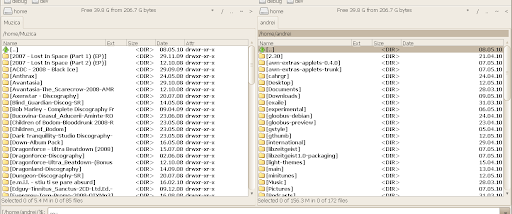
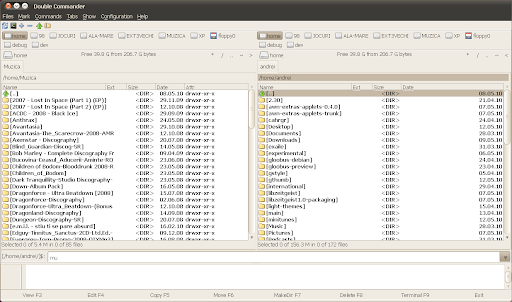



Double Commander is an open-source, cross-platform file manager for people who organize, compare and move files across folders and archives. Its two side-by-side panels keep separate locations visible at once, making it easier to copy or move items between directories without repeatedly navigating back and forth. Tabs let users keep several locations open in each panel, while Unicode support accommodates filenames in different writing systems.
File operations include copying, moving, deleting and renaming items, with operations able to run in the background. The multi-rename tool applies a naming pattern to groups of files, useful when importing photos or organizing downloaded documents. Search can filter by file mask, size and creation date, and can also look for text inside files. Results can be sorted by name, date, attributes or size to help locate a particular item in a large directory.
Archives appear as browsable folders, so files can be copied into or out of supported archive formats without first extracting everything manually. Double Commander can also create archives, with formats and compression options including ZIP, LZMA, TAR, BZ2, TBZ, GZ and TGZ. Its built-in viewer can display text, binary and hexadecimal content, while the internal editor provides syntax highlighting. Additional file tools show properties and occupied space, change timestamps and attributes, and create symbolic links. An operation log records file-management activity.
The interface can be adapted with custom columns and a configurable button bar for launching external applications or internal commands. Total Commander WCX, WDX and WLX plug-ins are supported, allowing users to extend archive handling and other file functions. These options suit everyday folder management as well as more specialized workflows involving batch renaming, searching within files, inspecting data or handling compressed collections.
Double Commander is free and open-source software. It is available for multiple operating systems, with Windows among its supported platforms. The two-panel layout follows a familiar file-manager approach, while tabs, keyboard commands and configurable controls help tailor common tasks to an individual workflow.