IDrive
IDrive is an online backup application for individuals, small businesses and organizations that need to protect files across computers and servers. It stores backup copies in ...

EasyBCD is a Windows utility for configuring boot menus and managing Boot Configuration Data (BCD). It can add, rename, remove, and reorder operating system entries, set the default startup choice and menu timeout, and configure Windows alongside Linux, macOS, or BSD. Maintenance tools back up or restore BCD data, reset its configuration, update boot records, and create bootable USB drives. NeoGrub scripting supports more complex setups, including partition changes. It is freeware for Windows.
| Author: | NeoSmart Technologies |
| License: | Freeware |
| Price: | FREE |
| Released: | Nov 28, 2018 |
| File size: | 2.20 MB |
| Downloads: | 1848 |
| Keywords: | create bootable usb, NeoSmart Technologies, boot menu editor, bootloader configuration tool, boot management, bcd backup and restore, restore boot sector, customizer, dual boot manager, multi-boot system, bootloader, bootloader modifier, Windows 10 compatibility, modifier, Easy BCD, EasyBCD, neogrub boot scripting, mbr backup, software utility |
| Author URL: | https://neosmart.net/ |
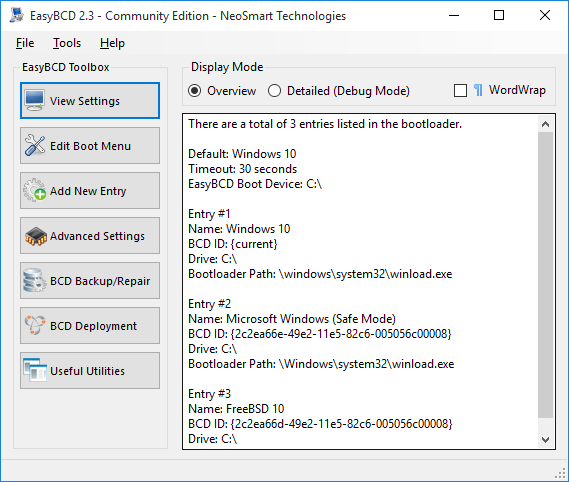
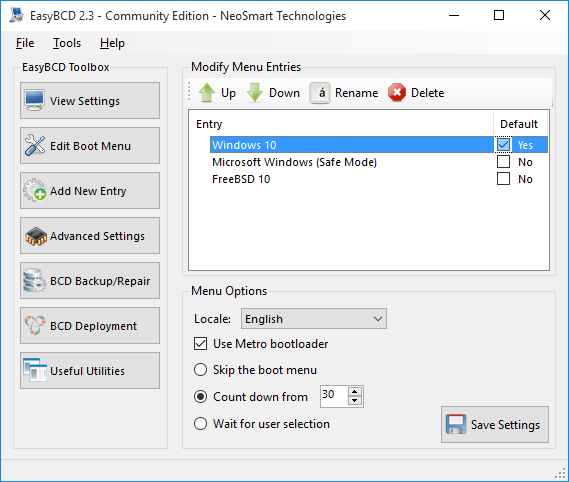
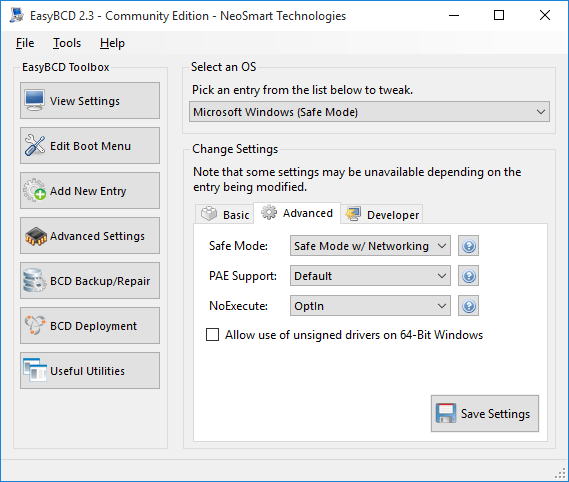

EasyBCD is a Windows boot configuration utility for people who need to manage startup options or set up a computer to start more than one operating system. It provides a graphical way to edit the Windows Boot Configuration Data (BCD), the store that controls many entries in the Windows boot menu. Typical tasks include adding another operating system, choosing which entry starts by default, and adjusting how long the menu remains visible before it boots.
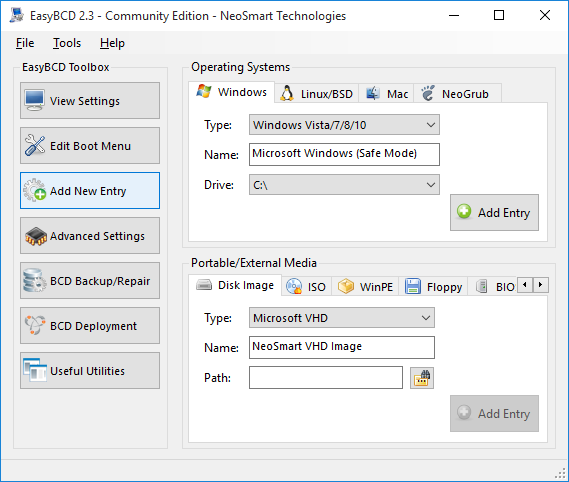
The boot menu editor can add, rename, remove, and reorder entries, making it easier to keep multiple installations organized. Users can change the default entry and menu timeout, then review advanced settings for individual entries. EasyBCD can configure boot options for Windows as well as Linux, macOS, and BSD systems, helping coordinate installations on the same computer. Its tools also support booting from sources such as USB drives, ISO images, and virtual disks, subject to the system and boot method in use.
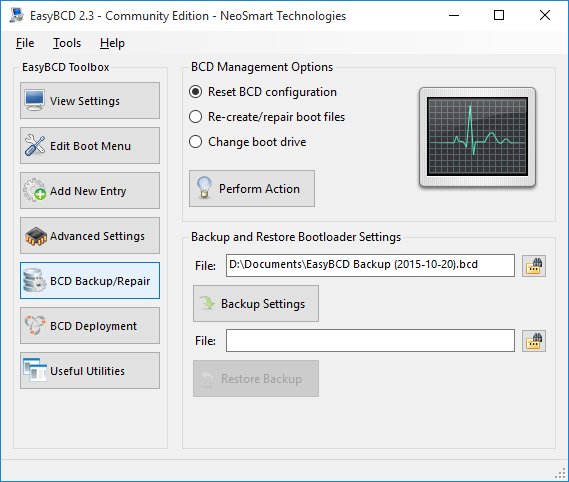
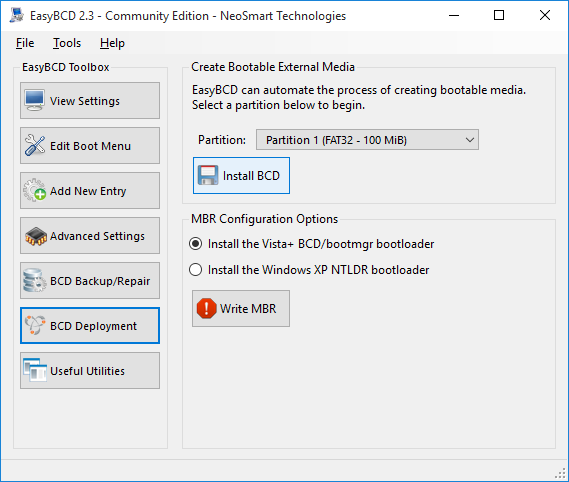
For maintenance, EasyBCD includes options to back up and restore BCD data, reset the configuration, and update the master boot record or boot sector. It can edit a BCD store on another disk, which is useful when working on a separate Windows installation, and can help create a bootable USB drive. NeoGrub scripting adds control over more involved boot setups, including hiding partitions and changing active flags. These functions are intended for users who understand how boot configuration changes affect disks and operating systems.
The utility is useful when setting up a dual-boot computer, changing the order of several operating systems, preparing a test environment, or troubleshooting boot-menu configuration. Recovery and safe-mode entries can also be added to make diagnostic tools easier to reach at startup. EasyBCD works with existing boot components; it does not repair every cause of a computer failing to start, and changing boot records or partitions can prevent an installation from loading if configured incorrectly. A backup of the BCD before editing provides a way to restore its prior configuration.
EasyBCD is freeware from NeoSmart Technologies for Windows. It supports Windows versions from XP through Windows 10, including 64-bit editions where provided. Its functions are aimed at boot configuration rather than general disk management, so users should verify the target disk and operating system before applying changes.