IDrive for Windows 10 - Full description
IDrive is an online backup application for individuals, small businesses and organizations that need to protect files across computers and servers. It stores backup copies in the cloud and provides tools to restore data when files are deleted, changed or lost. The Windows client supports selecting particular files and folders or backing up entire drives, so a backup can be tailored to personal documents, work data or a broader system archive.
Backups can run on a schedule, reducing the need to remember to copy files manually. IDrive also supports continuous protection and lets users restore files from saved copies. File versioning retains previous versions, which can help recover an earlier document after unwanted edits or retrieve data that was removed. Encryption protects data in transit and in storage, with an option to use a private encryption key. Two-factor authentication adds another layer of account security.
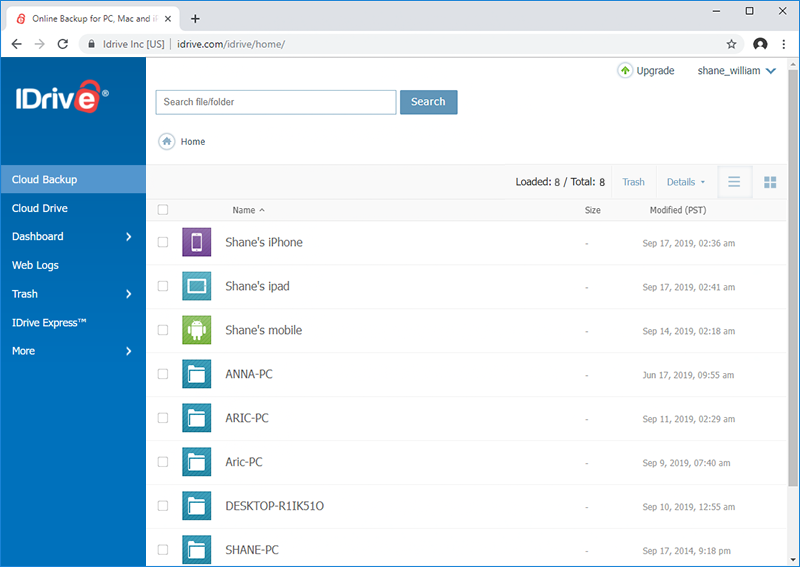
For added redundancy, IDrive can send backups to both its online storage and local storage devices. This gives users a separate copy nearby as well as an off-site copy. The service also supports backup and recovery across supported computers and mobile devices, allowing people who work on multiple platforms to manage their protected data through one account. A web interface provides access to account and backup-management functions.
Business and IT environments can use IDrive for server data, including SQL, Exchange and Oracle databases, as well as virtual machines. Administrators can manage backups through a centralized web console, monitor activity and create reports. For recovery, files can be restored from online backups; an Express recovery service using a shipped physical drive is also offered for large data sets, helping reduce the time required to transfer substantial archives over an internet connection.
IDrive is commercial software offered here as a demo. The Windows download is intended for Windows 10 and Windows 11, and the supplied system requirements mention Internet Explorer 6 or later. The service also supports older Windows releases and Windows Server editions. Its combination of scheduled cloud backups, local copies, encryption and recovery tools suits home users seeking ongoing file protection as well as organizations managing server and workstation data.